Project Overview
A responsive, modern e-commerce frontend built with HTML, CSS, JavaScript, and Bootstrap 5. This project simulates a small online store where users can browse products, filter and sort them, add items to a cart or wishlist, and view product details in a quick view modal. All data is managed locally using JavaScript and localStorage, making it a fully functional demo without a backend.
Screenshots
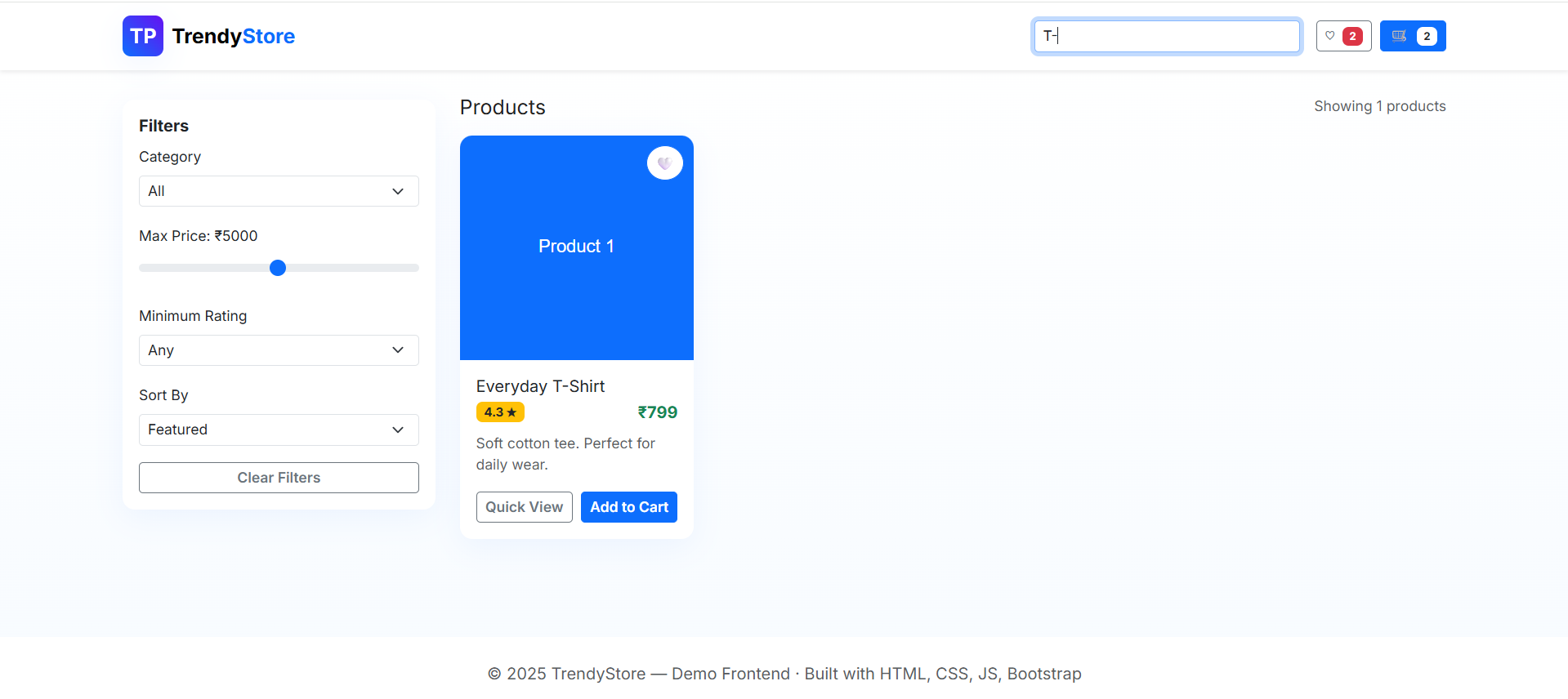
Key Features
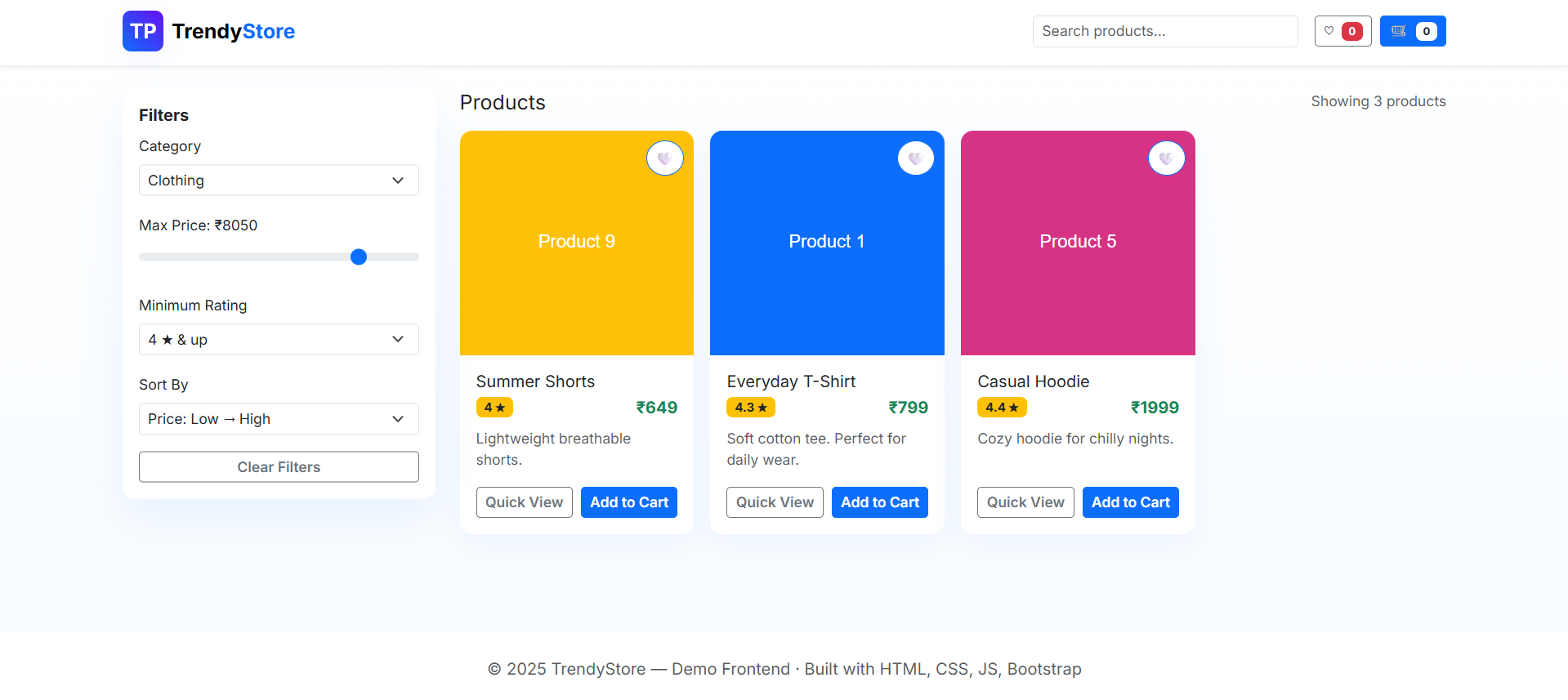
- Product Grid: Display products in a responsive grid with images, ratings, price, and description.
- Filters & Sorting: Filter products by category, price range, minimum rating, and sort by price or rating.
- Search Functionality: Real-time search for product names and descriptions.
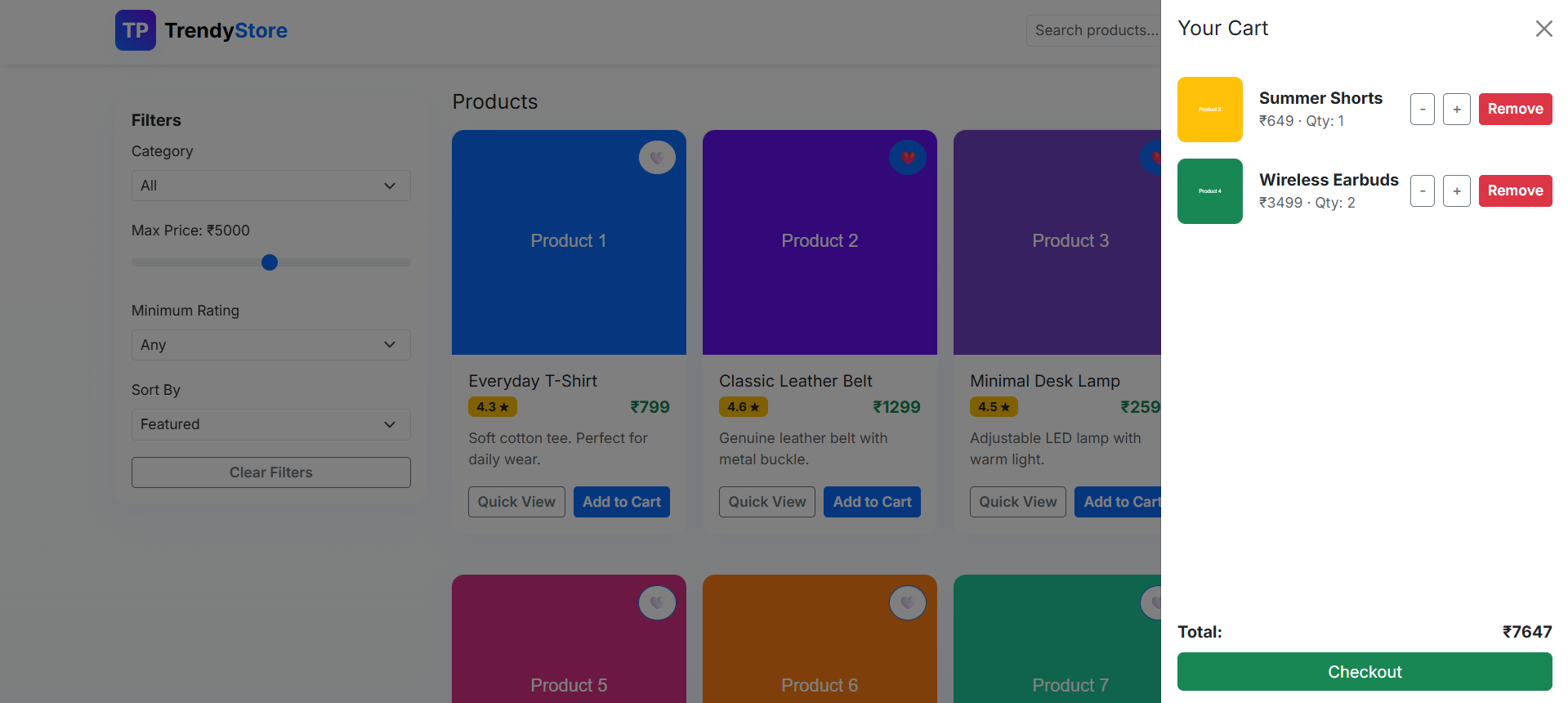
- Cart Management: Add, remove, and adjust quantity of products in the cart, with a running total.
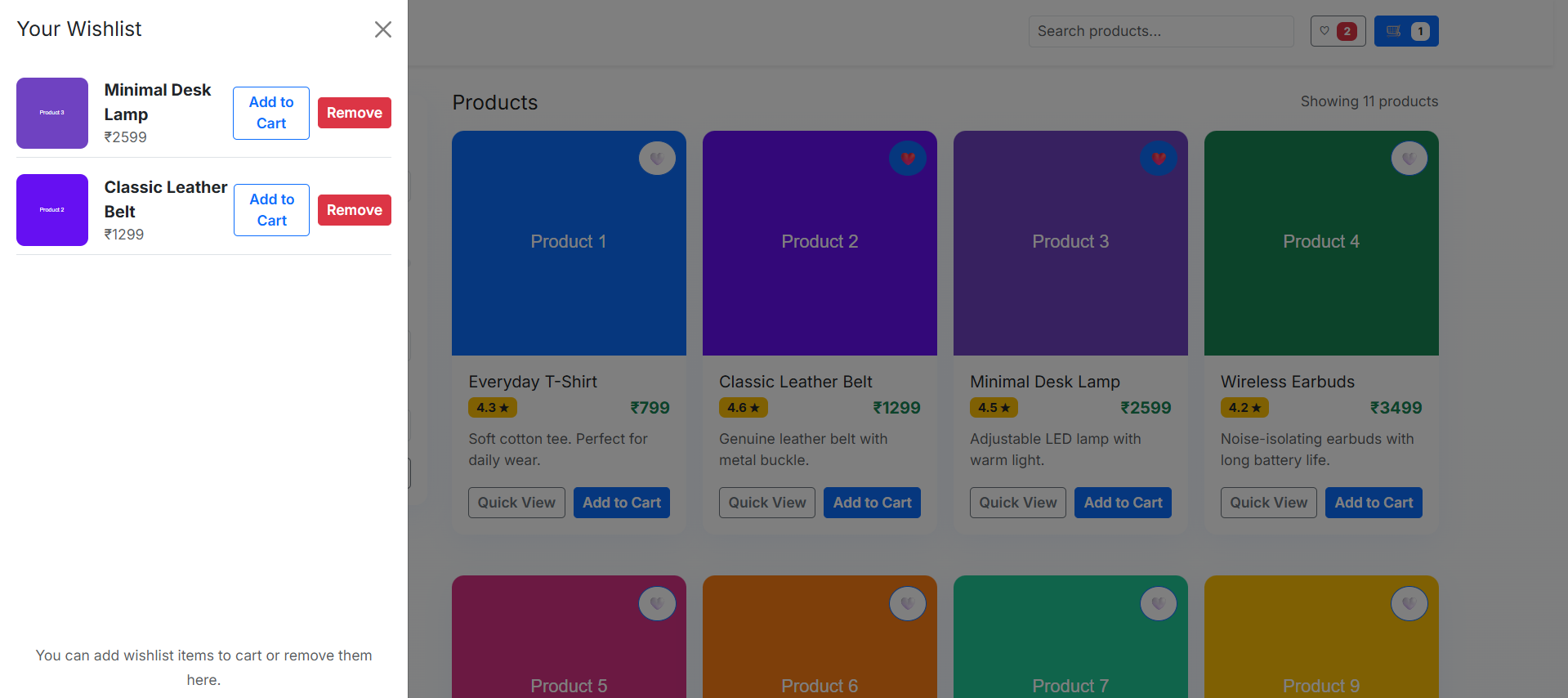
- Wishlist Management: Add/remove products to a wishlist, with separate offcanvas display.
- Quick View Modal: View detailed product info in a popup modal without leaving the page.
- Persistent Data: Cart and wishlist state are saved in
localStorageto persist across page reloads. - Responsive Design: Works across desktops, tablets, and mobile devices.
- Visual Enhancements: Smooth hover effects on cards, custom favorite button, and toast notifications for actions.
Functionality
- Product Browsing: View all products with images, ratings, price, and description.
- Filtering & Sorting: Filter by category, max price, rating, and sort products dynamically.
- Search Products: Search bar filters products in real-time.
- Cart Operations: Add to cart, remove items, increase/decrease quantity, see total price.
- Wishlist Operations: Add/remove from wishlist and move items from wishlist to cart.
- Quick View Modal: Inspect product details with a popup modal.
- Offcanvas Panels: Cart and wishlist slide in from the side for easy access.
- Responsive Layout: Adjusts to desktop, tablet, and mobile screens.
- Notifications: Toast messages for cart and wishlist actions.
- Demo Checkout: Simple alert for checkout simulation.
Technology Used
- HTML5: Structure of the website.
- CSS3 & Variables: Styling, gradients, responsive design, and custom themes.
- JavaScript (ES6+): Dynamic functionality, event handling, cart/wishlist logic.
- Bootstrap 5: Responsive grid, modals, offcanvas components, and forms.
- localStorage: Persist cart and wishlist data across sessions.
Why This Project Is Useful
- Provides hands-on practice with DOM manipulation and dynamic content rendering using JavaScript.
- Demonstrates state management in a frontend-only e-commerce scenario.
- Teaches event handling for buttons, forms, and offcanvas components.
- Reinforces understanding of Bootstrap 5 layout and responsive design.
- Useful as a portfolio project to showcase modern frontend skills without requiring a backend.
Download Source Code
Project Setup Instructions
Note: This project is for educational purposes only. Not for commercial sale.