Project Overview
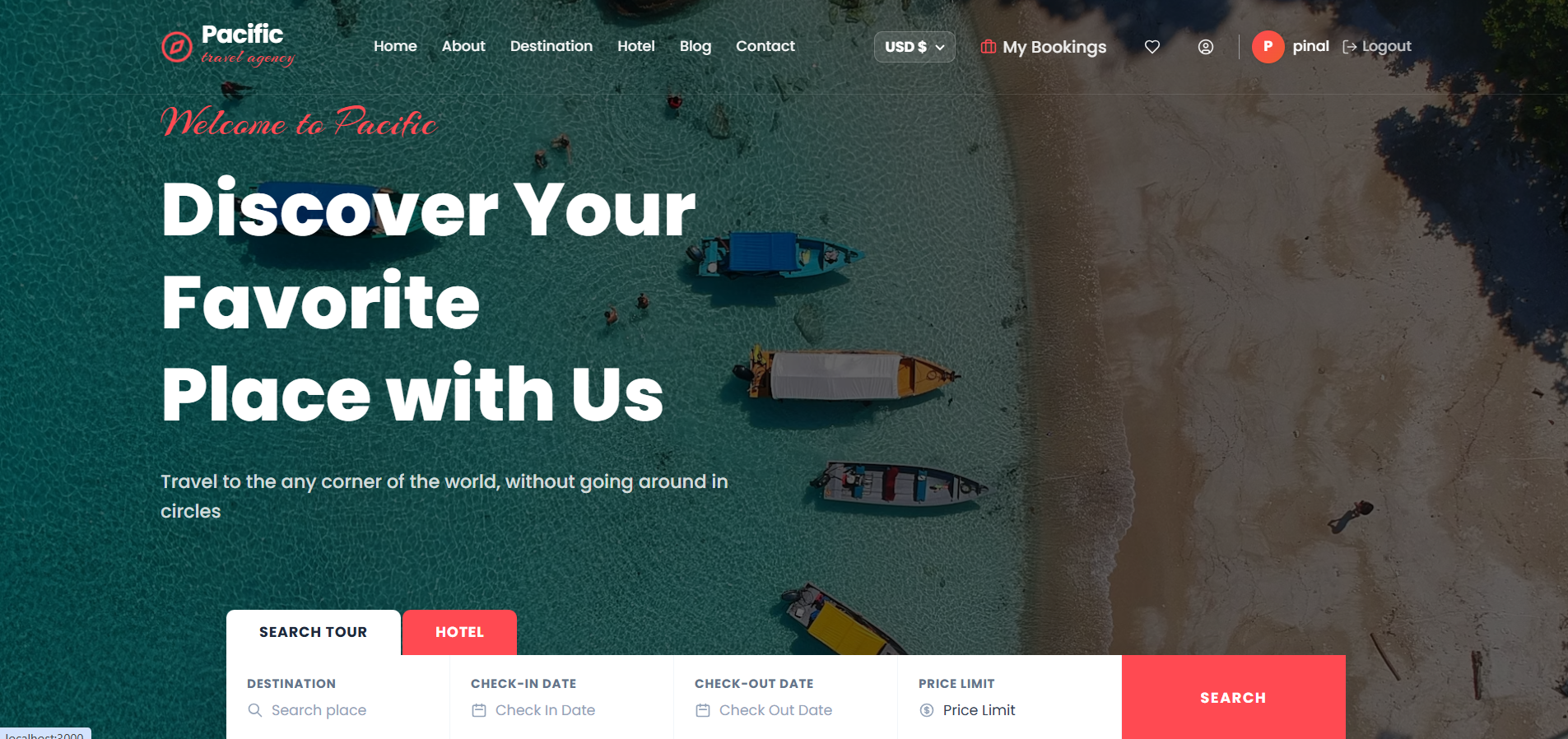
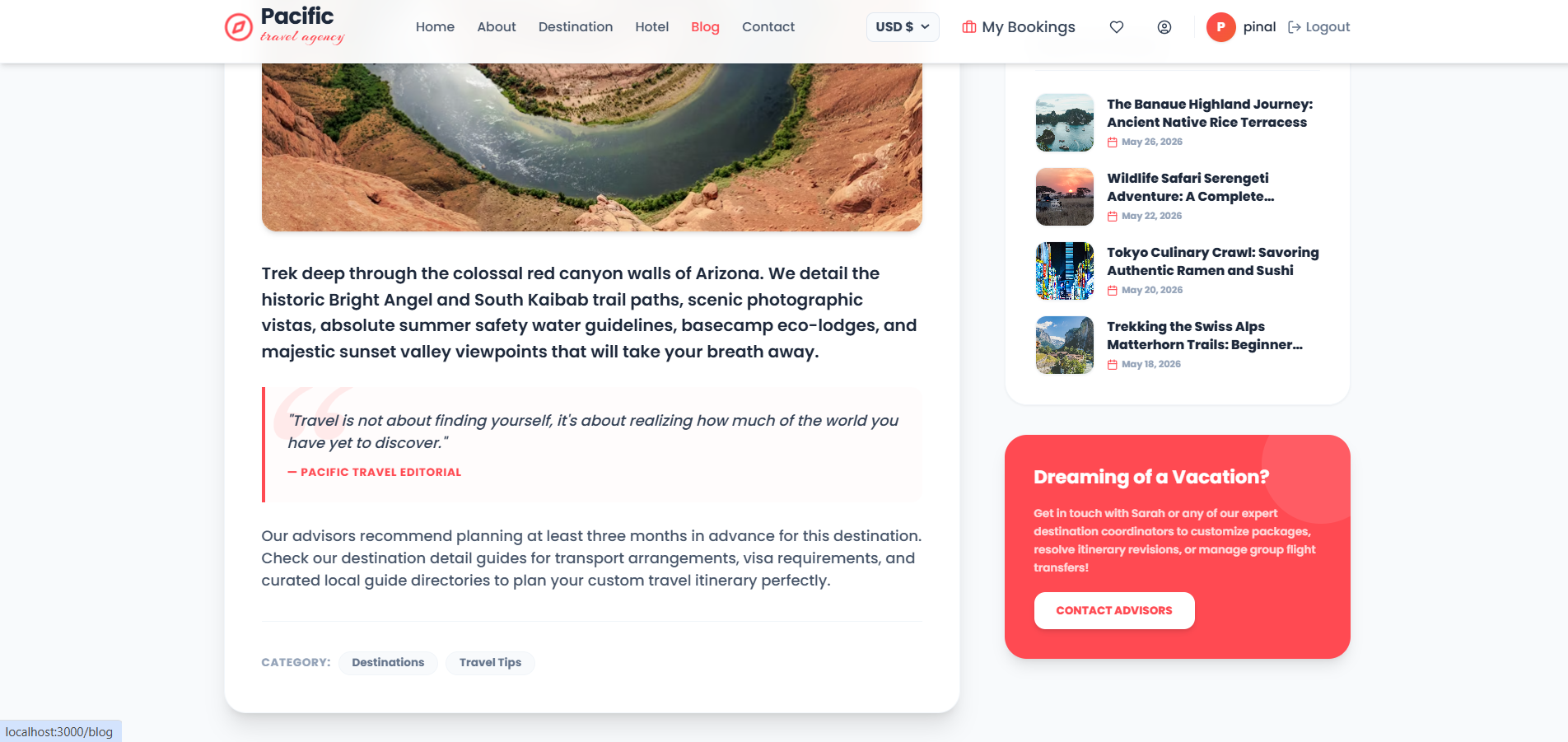
Pacific Travel & Tourism Agency is a modern full-stack travel and tourism management platform built using the MERN Stack — MongoDB, Express.js, React, and Node.js.
The application is designed to provide a complete digital solution for managing travel packages, hotel bookings, customer inquiries, and online payments through a responsive and interactive web interface.
Built using a strict MVC architecture on the backend and a React Single Page Application on the frontend, the platform delivers a professional travel booking experience with real-time booking management, multi-currency support, secure authentication, and administration controls.
Screenshots
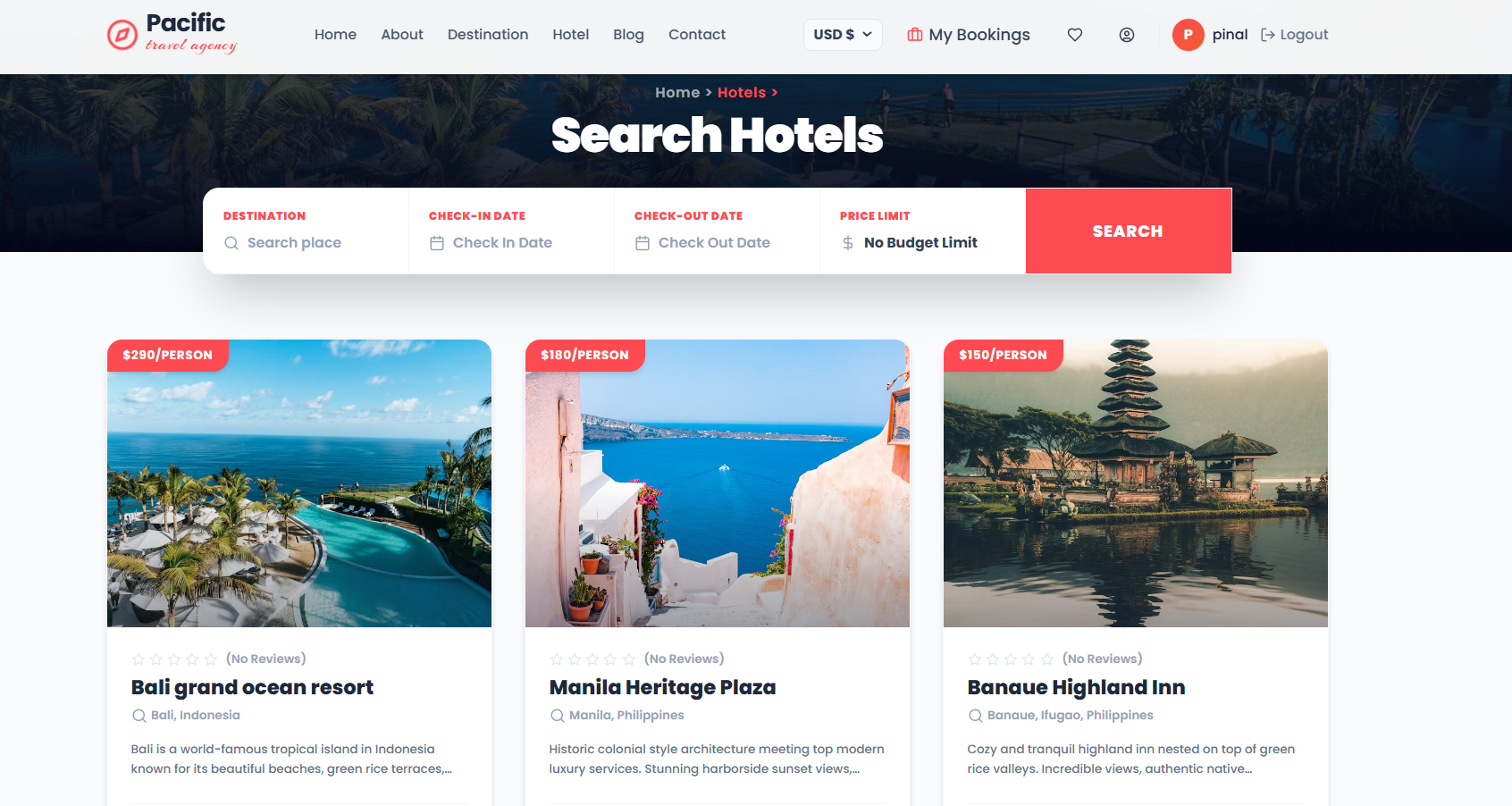
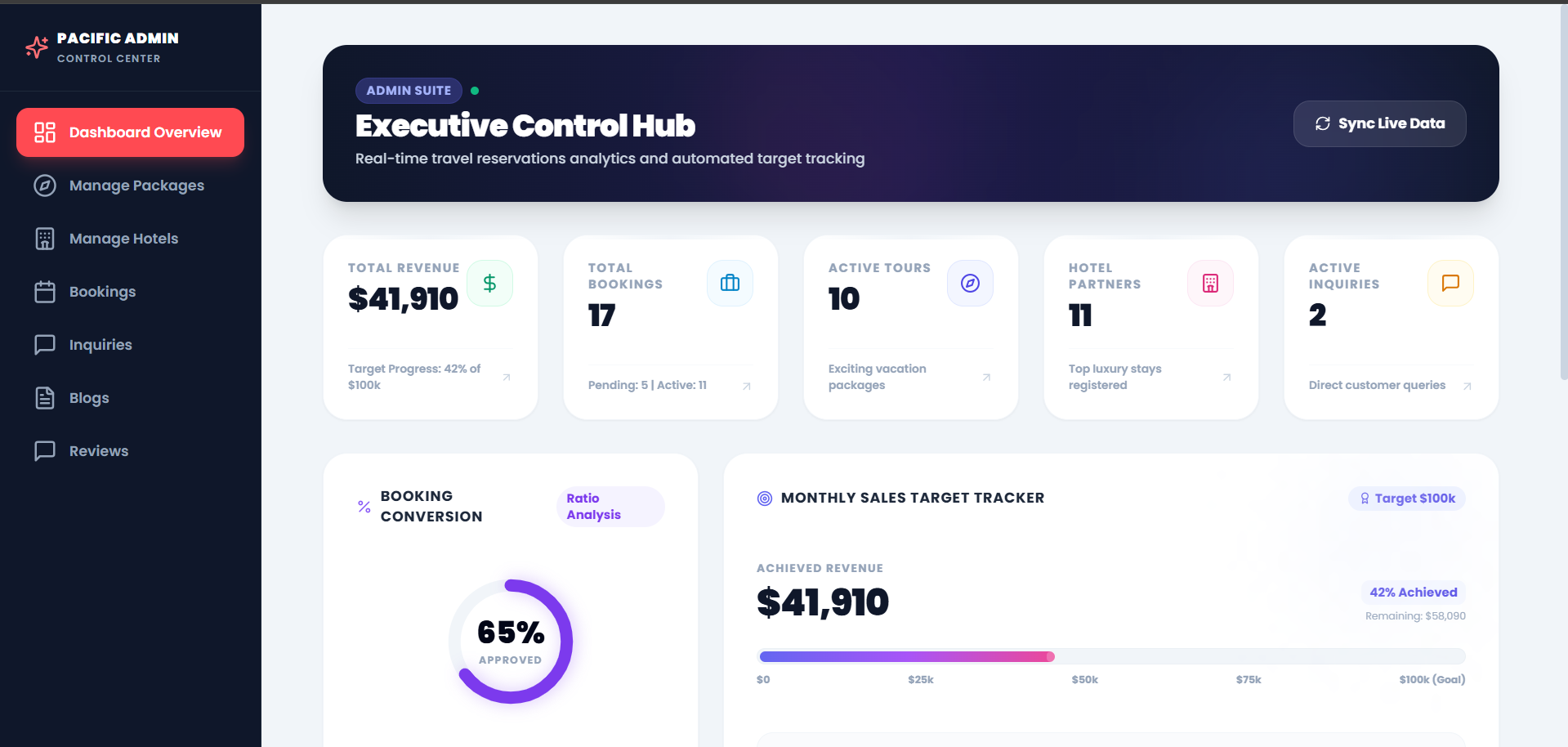
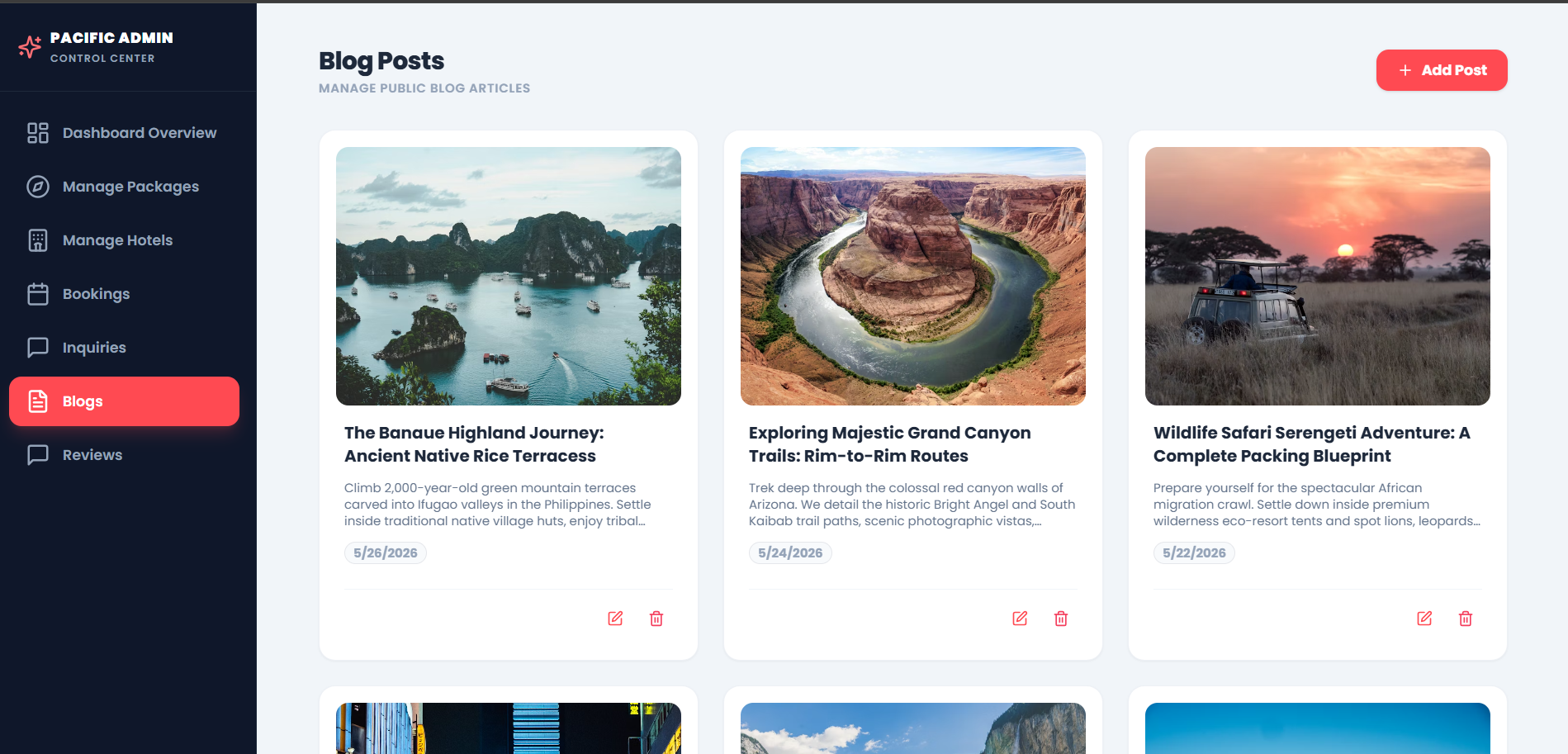
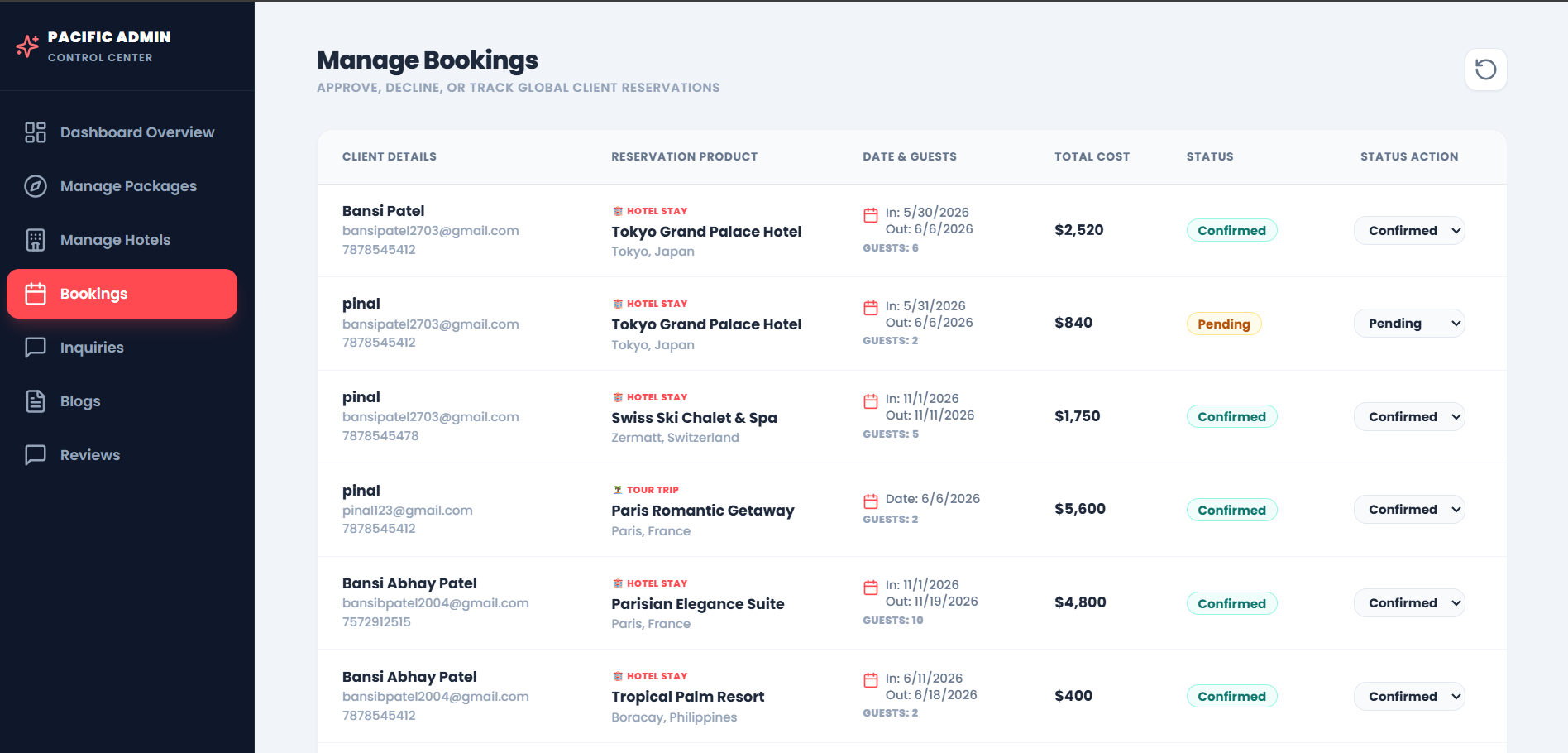
Key Features
- Client-Side Features
- Responsive User Interface
- Modern and responsive layout
- Glassmorphism-based UI design
- Smooth animations and premium typography
- Optimized for desktop, tablet, and mobile devices
- Multi-Currency Support
- Dynamic currency selector supporting:
- USD
- INR
- EUR
- GBP
- Automatic currency conversion for packages and hotel pricing
- Tours & Hotel Booking System
- Separate sections for:
- Tour packages
- Hotel bookings
- Search and filtering functionality
- Detailed package and hotel information pages
- Tour Timeline System
- Day-by-day itinerary visualization
- Activity scheduling display for travel packages
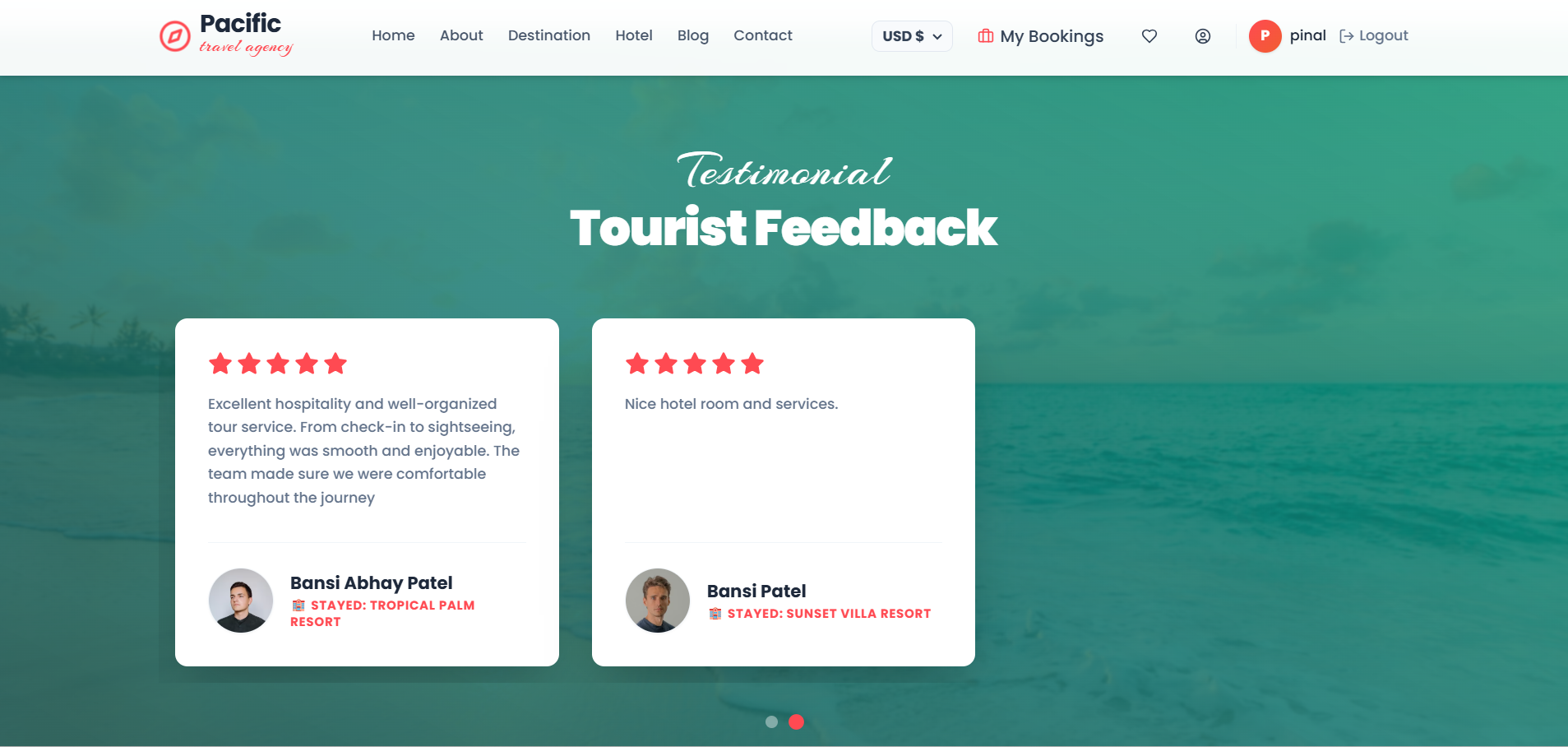
- Review & Rating System
- Verified guest review functionality
- Star ratings and customer comments
- Automated verified customer badges
- Online Payment Integration
- Secure checkout using Cashfree payment gateway
- Dynamic INR conversion for payment processing
- Real-time payment confirmation handling
- Booking Management
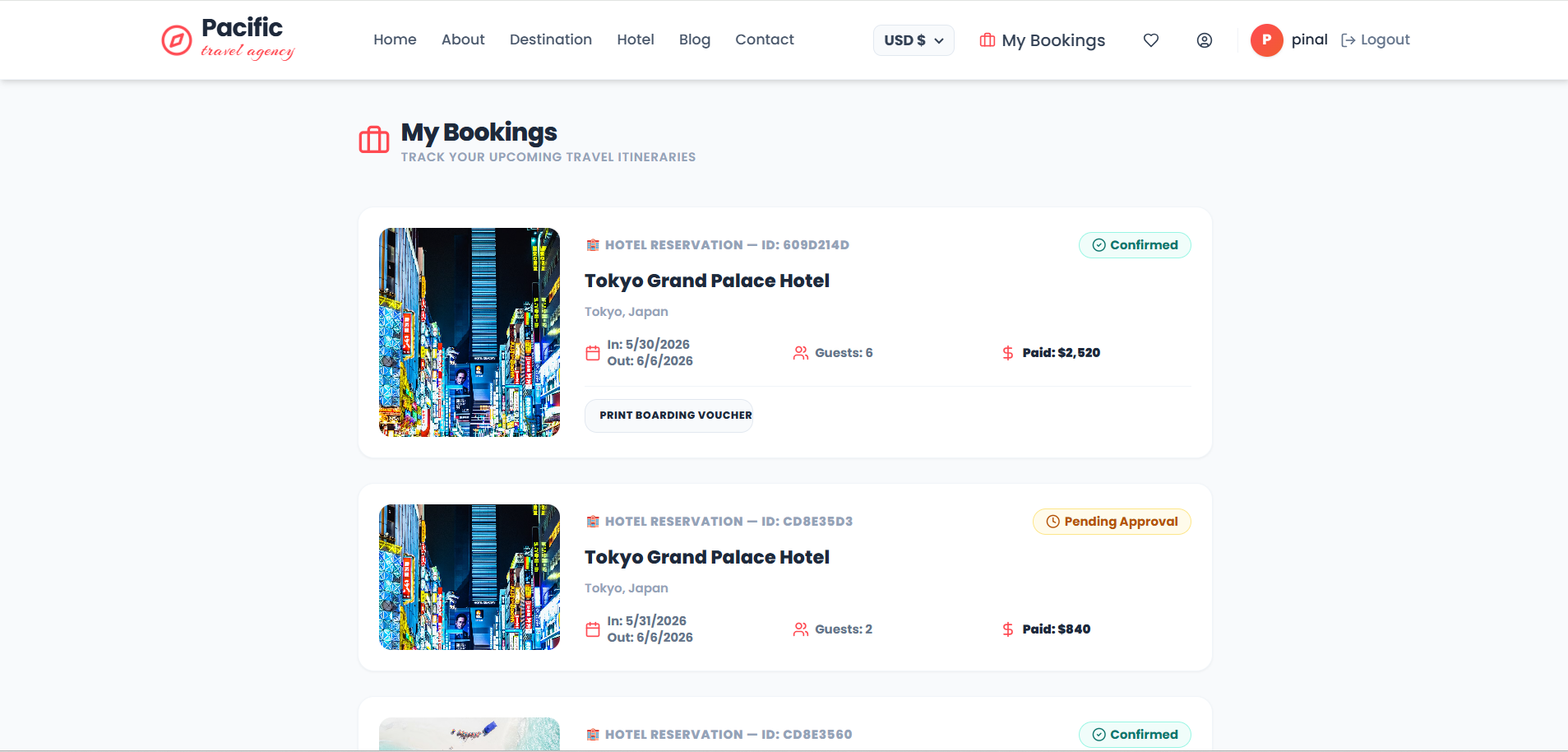
- “My Bookings” dashboard for users
- Booking status tracking:
- Pending
- Confirmed
- Cancelled
- Printable boarding passes and stay vouchers
- Admin Panel Features
- Executive Dashboard
- Revenue analytics
- Total bookings overview
- Tour and hotel statistics
- Customer inquiry metrics
- Sales Monitoring
- Monthly sales target tracking
- Interactive progress indicators
- Business performance diagnostics
- Resource Monitoring
- Server diagnostic logs
- Latency and connection monitoring
- Simulated memory and cache tracking
- CRUD Management System
- Admins can:
- Add tours and hotels
- Edit existing data
- Delete packages and listings
- Reservation Management
- Approve or reject bookings
- Update booking statuses in real time
- Monitor transaction records
- Customer Inquiry Inbox
- Read customer messages
- Archive or delete inquiries
- Manage contact requests directly from the dashboard
Functionality
- User Authentication
- Users and admins can securely register and log in
- JWT tokens manage authentication sessions
- Passwords are encrypted using bcryptjs
- Tour & Hotel Browsing
- Users can browse:
- Travel packages
- Hotel listings
- Search and filter options improve accessibility
- Dynamic currency conversion updates all prices instantly
- Booking Workflow
- User selects a tour or hotel
- Booking details are submitted
- Payment is processed through Cashfree
- Backend verifies payment confirmation
- Booking status updates automatically
- Confirmation email and digital voucher are generated
- Booking Management
- Users can:
- View booking history
- Track reservation statuses
- Download digital travel documents
- Admin Operations
- Admins can:
- Manage tours and hotels
- Track platform revenue
- Handle customer inquiries
- Approve or cancel reservations
- Monitor server diagnostics and activity logs
- Data Initialization
- Database seeding automatically creates:
- Sample users
- Tours
- Hotels
- Admin accounts
- Provides immediate demo-ready functionality
Technology Used
- Frontend
- React
- Vite
- Tailwind CSS
- React Router DOM
- Axios
- Lucide Icons
- Maps & Location Services
- Leaflet
- React-Leaflet
- OpenStreetMap API
- Backend
- Node.js
- Express.js
- Nodemailer
- JWT Authentication
- bcryptjs
- Database
- MongoDB Atlas
- Mongoose
- Payment & External Services
- Cashfree Payments SDK
- Exchange Rate API
Why This Project Is Useful
- This project demonstrates a production-level travel marketplace platform and showcases advanced full-stack development concepts.
- It helps in understanding:
- Multi-role application architecture
- Real-time booking management
- Payment gateway integration
- Currency conversion systems
- JWT-based authentication
- MVC backend structure
- Full-stack CRUD operations
- Database-driven dashboards and analytics
- The application can serve as:
- A portfolio-level MERN project
- A travel agency management solution
- A learning resource for enterprise-level application development
Deployment and Environment Setup
- Environment Variables Setup:
- backend/.env
- PORT: 3000
- MONGO_URI: mongodb_url_string
- JWT_SECRET: your_jwt_secret_key_here (if needed)
- frontend/.env
- VITE_API_URL: backend_url
- backend/.env
- Deployment Overview:
- Render or Railway for backend hosting
- Vercel or Netlify for frontend hosting
- MongoDB Atlas for the database
- Backend Deployment:
- Push your code to GitHub.
- Go to Render.com or Railway.app.
- Create a new Web Service and connect your GitHub repository.
- Choose “backend/” as the root directory.
- Add the following environment variables on Render:
- PORT=10000
- MONGO_URI=your MongoDB Atlas URI
- JWT_SECRET=your JWT secret
- Start command: npm start (Ensure your backend/package.json includes “start”: “node server.js”)
- After deployment, note your backend URL, e.g. https://your-backend-name.onrender.com
- Frontend Deployment:
- Go to Vercel.com or Netlify.com.
- Create a new project and connect the GitHub repo.
- Select the “frontend/” folder as root.
- In environment variables, set:
- VITE_API_URL=https://your-backend-domain.com/api (or REACT_APP_API_URL if using CRA)
- Deploy.
- MongoDB Atlas Setup:
- Go to https://cloud.mongodb.com
- Create a free cluster.
- Add your current IP address in Network Access.
- Create a database user and password.
- Copy the connection string and replace username, password, and database name in MONGO_URI in backend/.env
Download Source Code
Project Setup Instructions
Note: This project is for educational purposes only. Not for commercial sale.