Project Overview
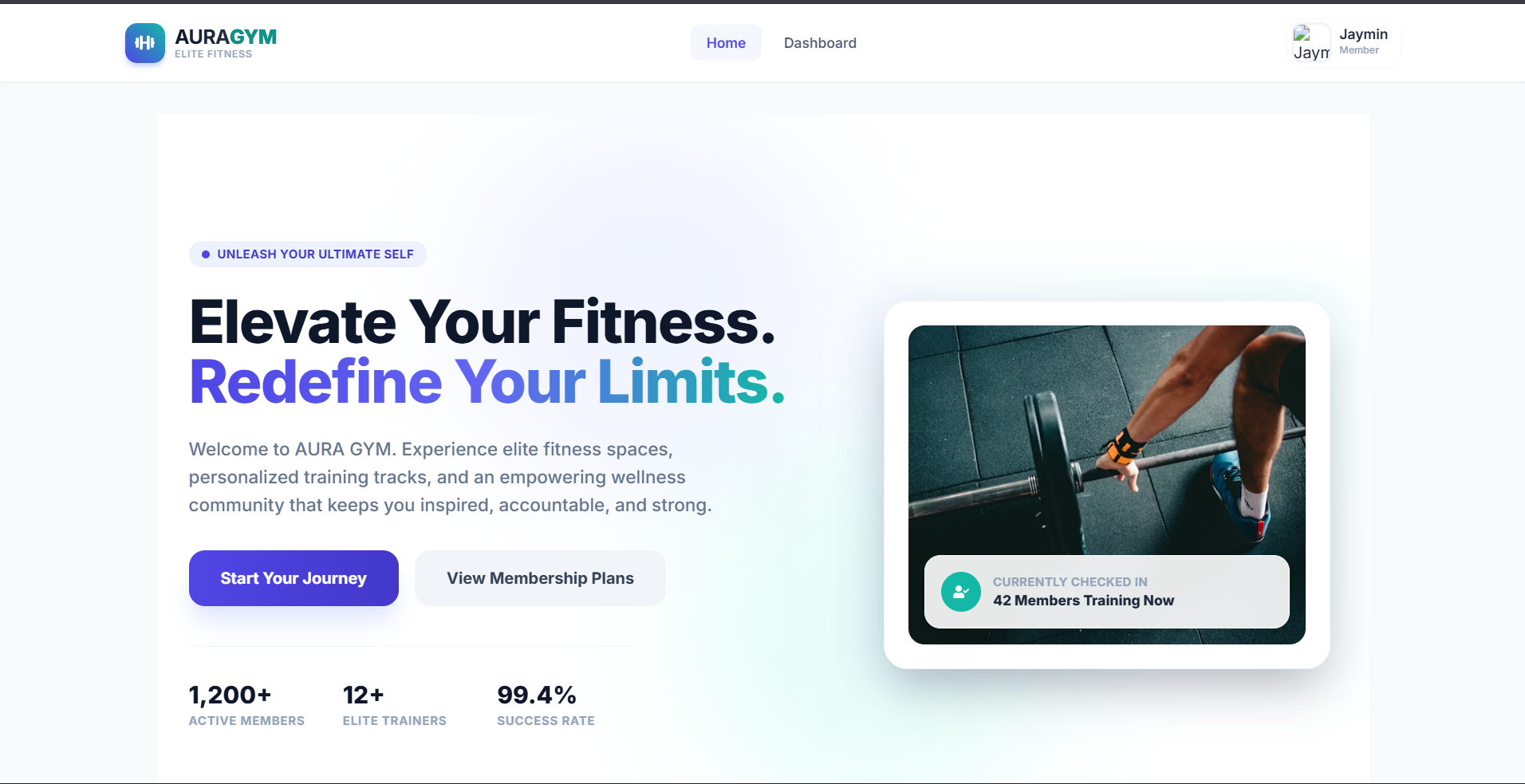
The Aura Gym Management System is a state-of-the-art, secure, full-stack web application designed to digitize and optimize daily gym operations. By bridging the gap between gym administrators and fitness members, the system introduces a beautiful, glassmorphic interactive portal.
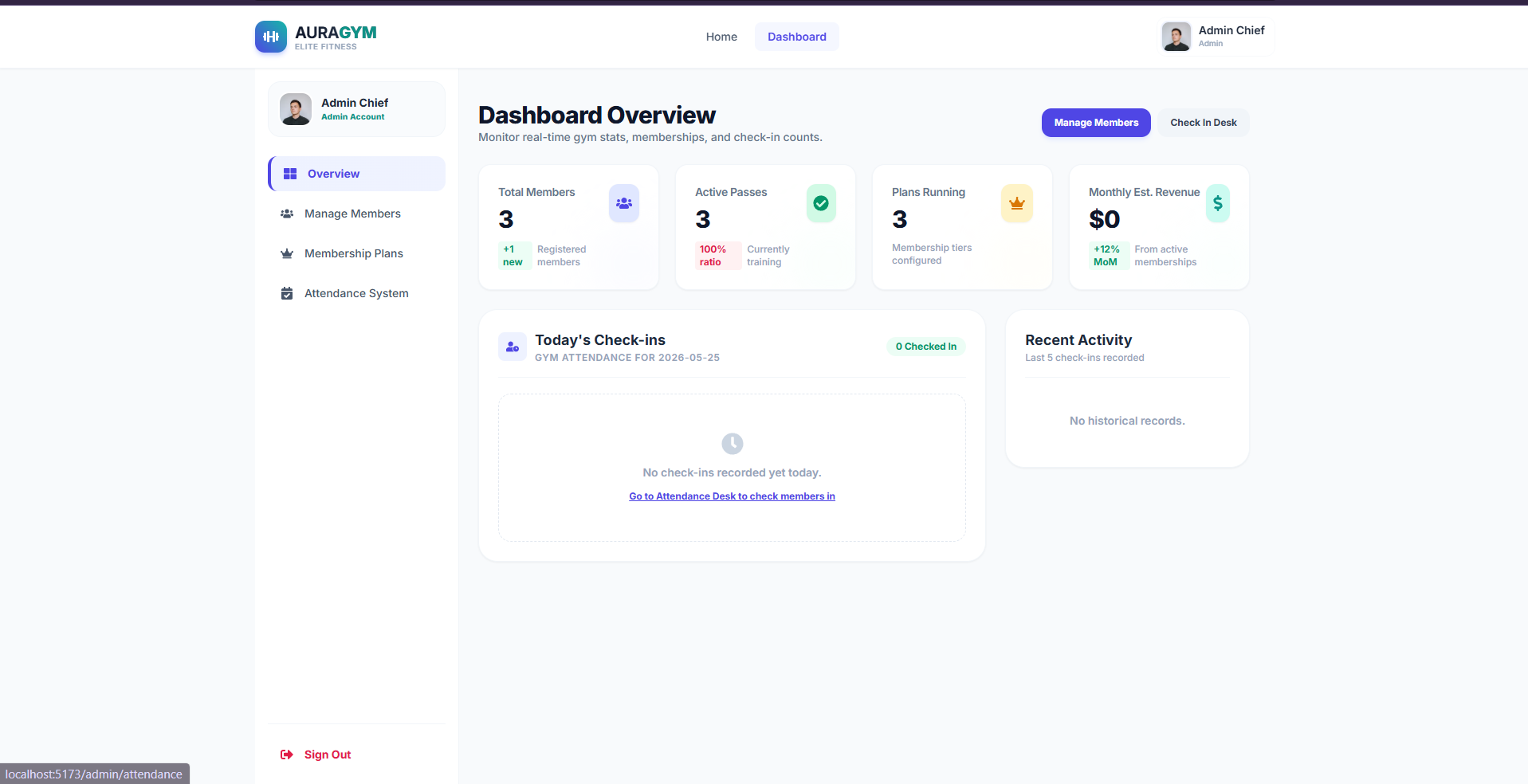
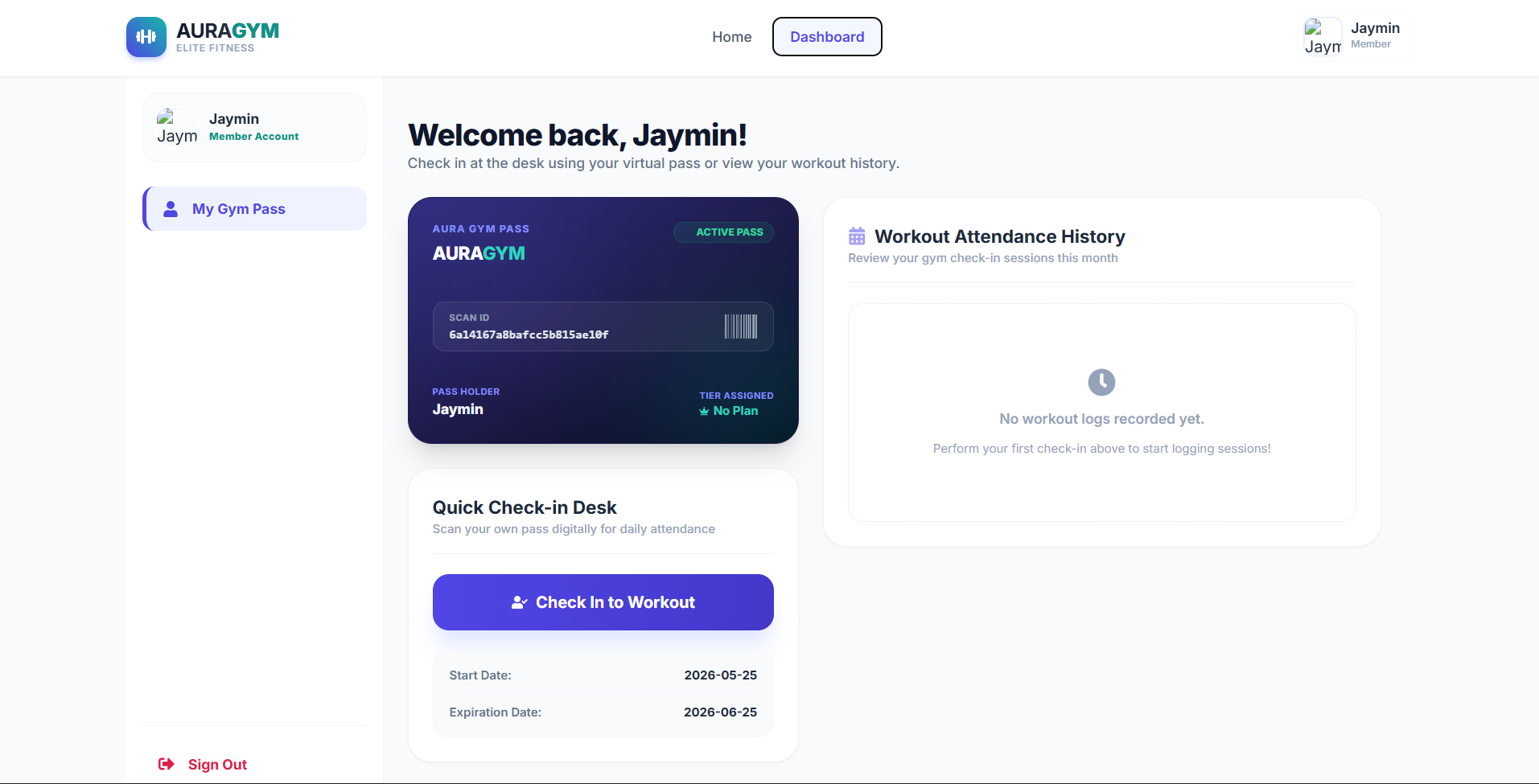
Administrators are empowered with real-time membership monitoring, customizable subscription tiers, and automated attendance registers, while gym members gain access to a personal wellness dashboard complete with a secure, scan-ready digital workout pass and check-in capabilities.
Screenshots
Key Features
- Role-Based Portals (Admin vs. Member)
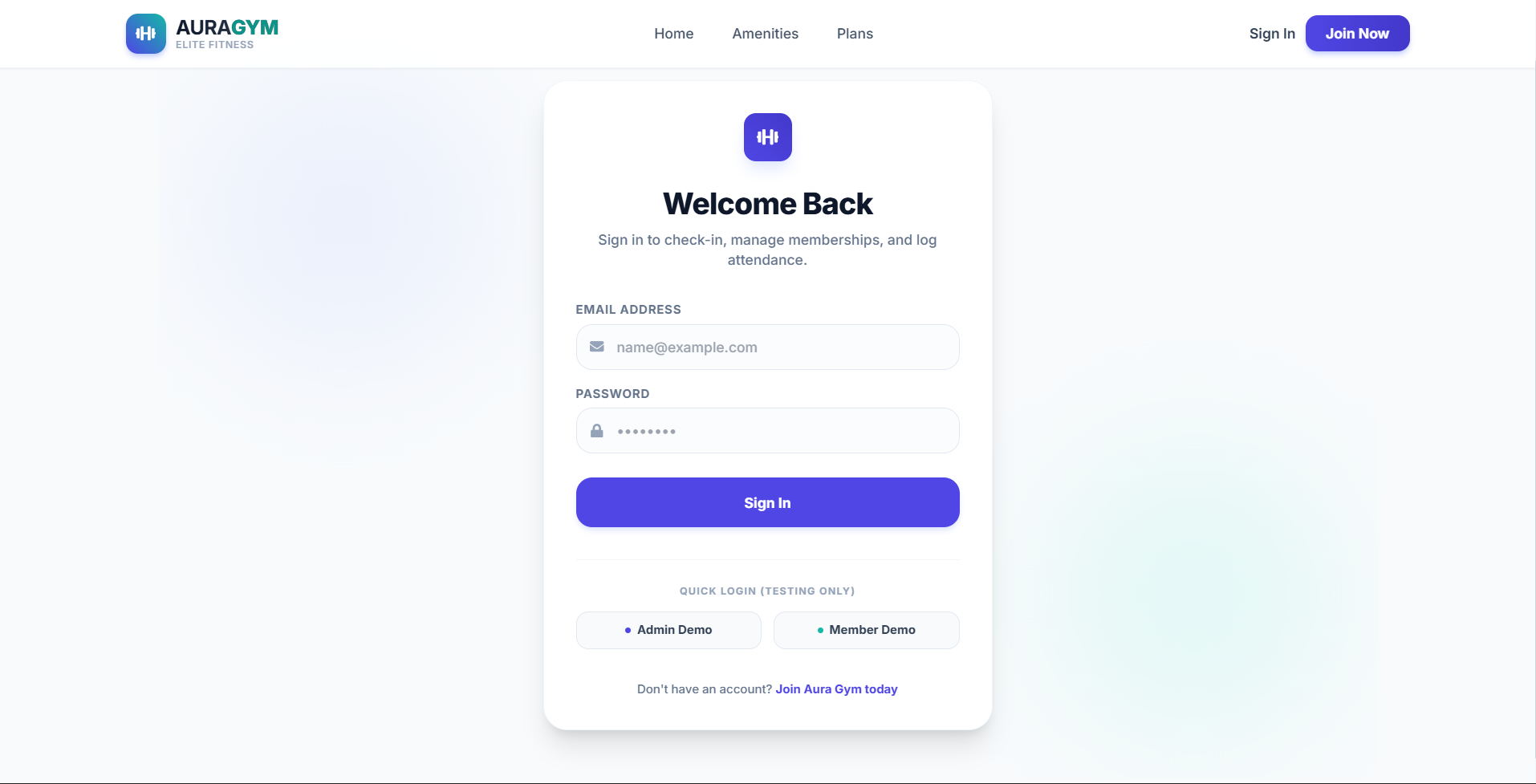
- Multi-Role Authentication: Dedicated routing systems and secure dashboard layouts depending on whether the user logs in as an Administrator or a Standard Member.
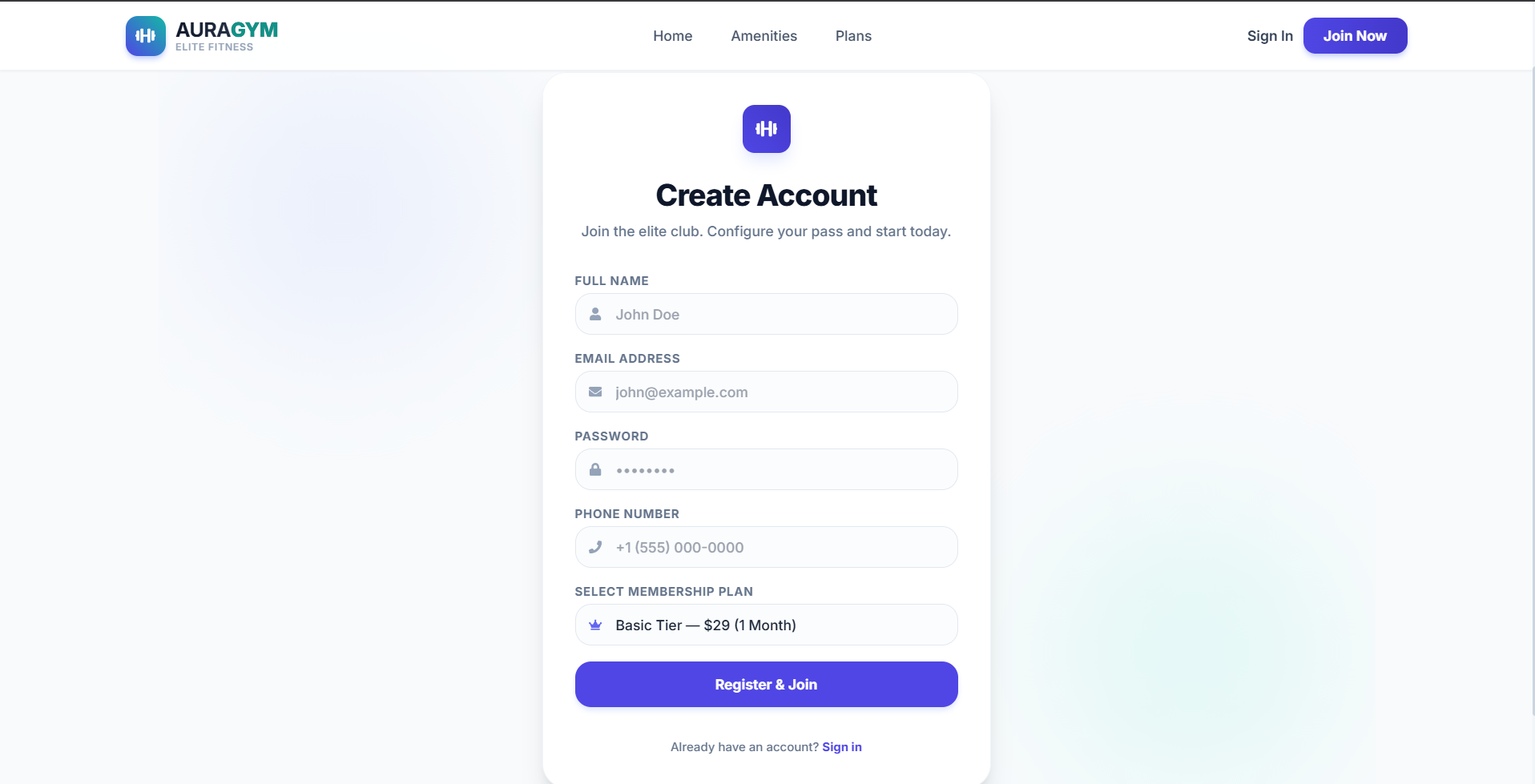
- Chief Administrator Account Rules: Enforces a strict security protocol that limits the registration of exactly one global administrator to avoid configuration leaks.
- Real-Time Administrative Console
- Dynamic Stats Board: A tracking panel showing total registered members, active passes ratio, revenue calculations, and interactive check-in trends.
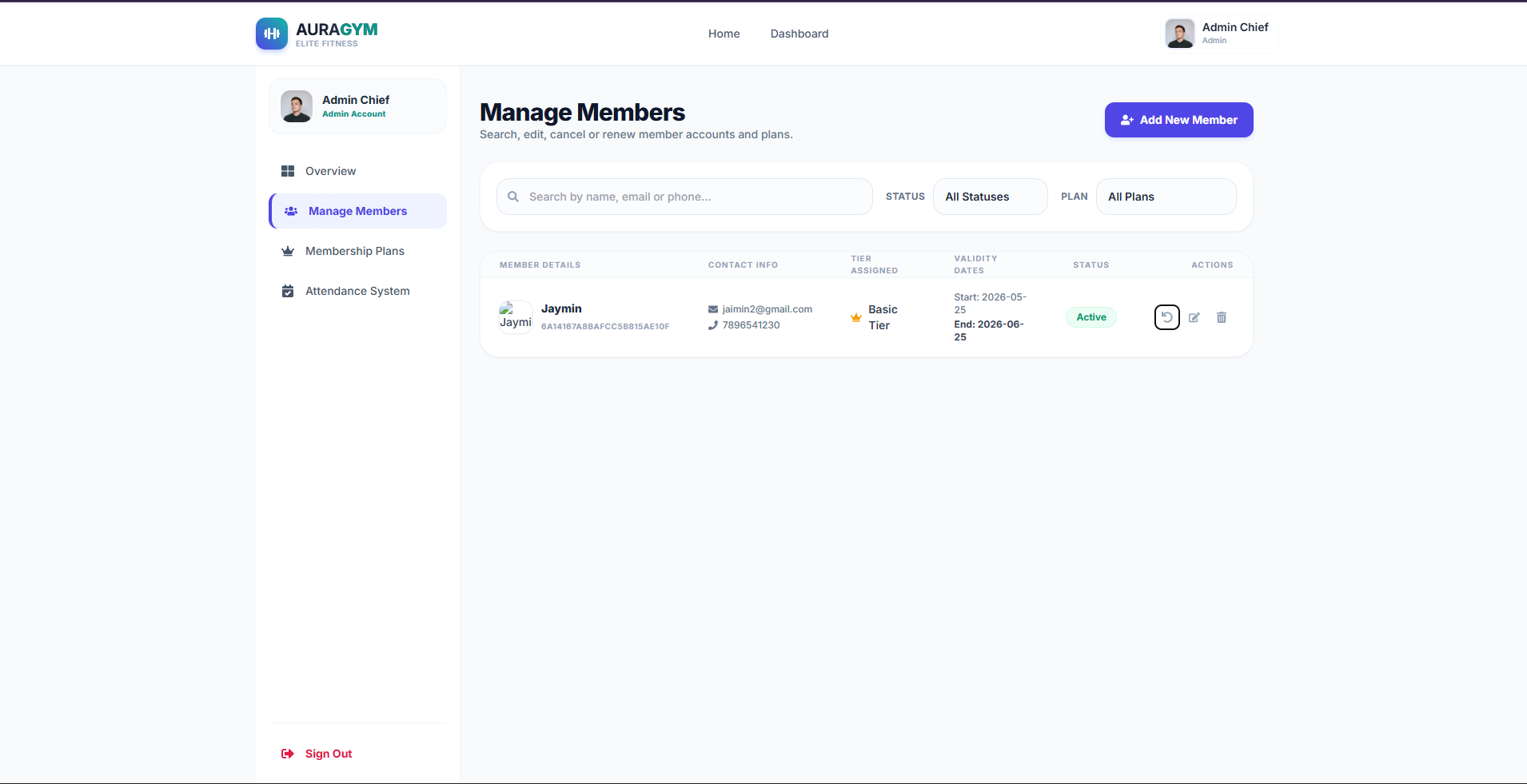
- Membership Lifecycle Management: Search, register, update profiles, toggle membership states (Active vs. Expired), and safely delete accounts.
- Dynamic Plan Customizer: Create and configure custom subscription tiers, monthly values, valid lengths, and unique key perks dynamically.
- Interactive Member Dashboard
- Luxury Virtual Gym Pass: A beautiful glassmorphic digital credit-card style pass rendering individual user avatars, valid statuses, assigned tiers, and a secure Scan ID barcode.
- Daily Self Check-in Simulator: Enables active members to record their workouts digitally at the touch of a button.
- Workout Log Tracker: A comprehensive tabular view of the member’s complete check-in history.
- Integrated Reception Desk (Attendance Tracker)
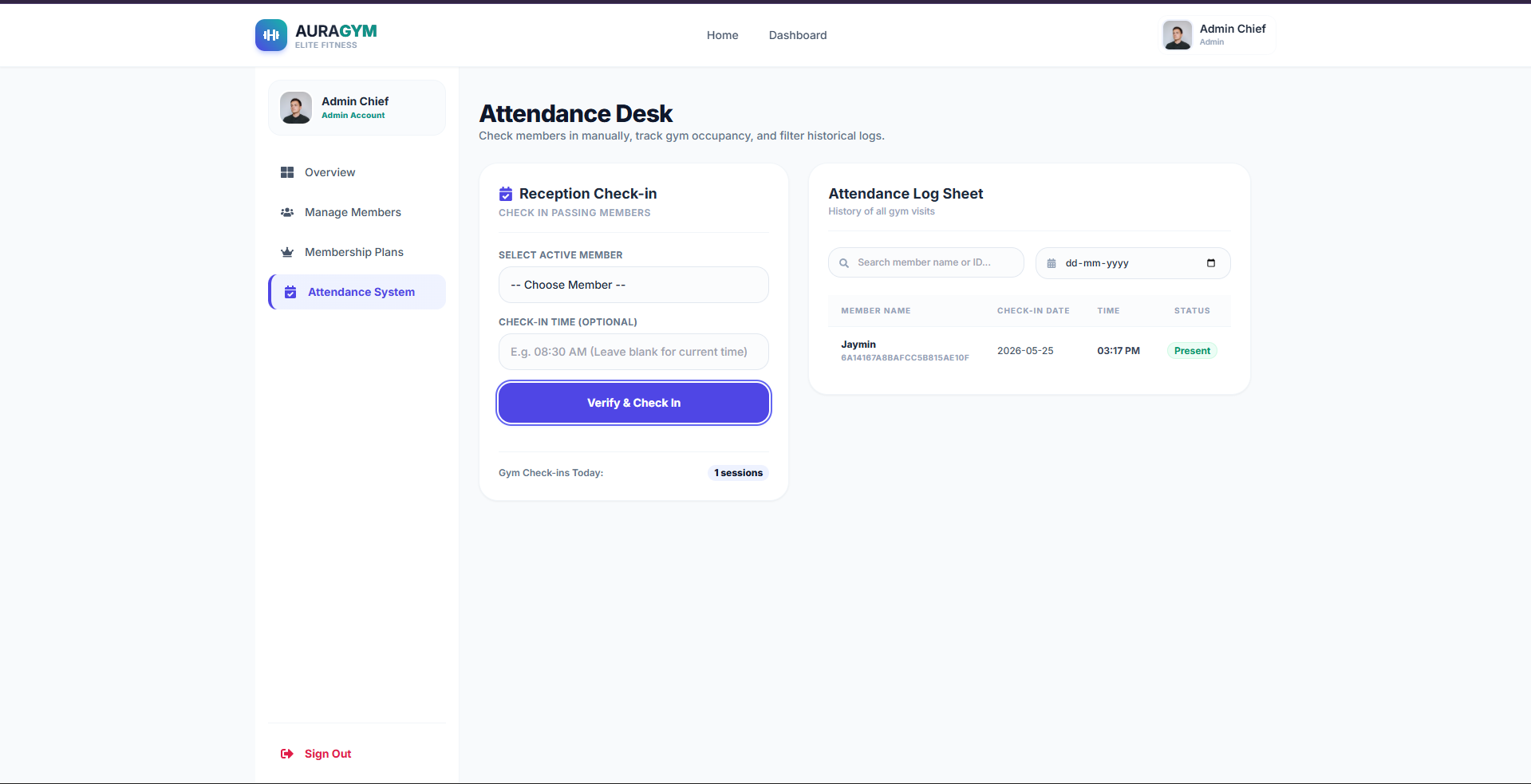
- Check-in Simulator: Receptionists can verify and log passing members into the building manually using real-time search queries.
- Historical Attendance Registers: Advanced search capabilities to filter historical check-in data sheets by member details or precise dates.
- State-of-the-Art Feedback: Leverages interactive micro-animations and contextual alerts (
react-hot-toast) to guide users on successful operations or errors (e.g., trying to access with an expired membership pass).
Functionality
- Dual-Role Portal & Security Gateway: Provides separate, highly secure dashboards for Administrators and Gym Members, secured by cryptographic password hashing (
bcrypt) and protected session keys (JWT). It restricts registration to exactly one global administrator for database integrity. - Automated Business Analytics Dashboard: Equips administrators with a live control panel displaying total member counts, active-to-inactive ratios, live occupancy tracking (today’s gym visits), and automated monthly revenue projections generated directly from database subscription plans.
- Dynamic Member Registry Management: Enables admins to search, filter, register, update, and delete members. Includes a one-click status toggle to easily activate, deactivate, or renew memberships with automatically calculated start and expiration dates.
- Flexible Subscription Plan Customizer: Allows admins to create, edit, or delete custom membership packages in real time by setting their own prices, duration (e.g., 1, 3, 6, or 12 months), and distinct member perks (like locker access, pool access, or personal training).
- Interactive Receptionist Check-in Desk: Provides reception staff with a searchable attendance console to log passing members into the building. Features a searchable historical log sheet filterable by member name, ID, or specific calendar date.
- Glassmorphic Virtual Gym Pass & Self Check-in:Provides members with a premium, mobile-friendly Digital Gym Pass featuring their avatar, membership status, and a unique scan barcode. Allows members to trigger a Self Check-in at the door, which automatically validates their access status (blocking expired passes and duplicate daily entries).
Technology Used
- Frontend:
- React.js: Builds the user interface anVite.js & React: A lightweight, lightning-fast bundler and library ecosystem for building responsive component trees.
- Tailwind CSS: A modern CSS utility framework used to style elegant layouts (glassmorphic structures, color-harmonized HSL systems, smooth transitions).
- React Icons: Providing clean, scalable vector iconography across the user interfaces.
- React Router DOM: Client-side single-page routing (SPA) to preserve smooth view transitions.
- React Hot Toast: An elegant, dynamic notifications framework triggering micro-feedback.
- Backend:
- Node.js & Express: Scalable event-driven framework building RESTful backend routers.
- Mongoose (MongoDB): NoSQL document database storing user profiles, active attendance history sheets, and configured subscription structures.
- JSON Web Tokens (JWT): Cryptographically secure authentication keys issued upon login/registration.
- Bcrypt.js: Industry-standard, multi-round cryptographic password hashing algorithms ensuring user security.
Why This Project Is Useful
- Combats Administrative Friction: Eliminates paper logs, manual validity tracking, and Excel spreadsheets by centralizing information into a single cloud-based system.
- Optimizes Facility Staffing & Logistics: By tracking check-in time histograms (Peak Hour Analysis), gym management can make data-driven decisions on staffing, energy consumption, and equipment maintenance.
- Enhances Member Engagement: The luxury virtual gym pass increases member satisfaction and adds a premium feel to their daily check-in routine.
- Guarantees High Security & Data Integrity: Employs industry-standard cryptographic password hashing and strict authentication middlewares (
protect+admin), ensuring that user credentials and personal details remain completely secure. - Zero-Touch Automation: Expiration and validity cycles update dynamically based on the subscription tier length, completely eliminating the risk of human oversight.
Deployment and Environment Setup
- Environment Variables Setup:
- backend/.env
- PORT: 3000
- MONGO_URI: mongodb_url_string
- JWT_SECRET: your_jwt_secret_key_here (if needed)
- frontend/.env
- VITE_API_URL: backend_url
- backend/.env
- Deployment Overview:
- Render or Railway for backend hosting
- Vercel or Netlify for frontend hosting
- MongoDB Atlas for the database
- Backend Deployment:
- Push your code to GitHub.
- Go to Render.com or Railway.app.
- Create a new Web Service and connect your GitHub repository.
- Choose “backend/” as the root directory.
- Add the following environment variables on Render:
- PORT=10000
- MONGO_URI=your MongoDB Atlas URI
- JWT_SECRET=your JWT secret
- Start command: npm start (Ensure your backend/package.json includes “start”: “node server.js”)
- After deployment, note your backend URL, e.g. https://your-backend-name.onrender.com
- Frontend Deployment:
- Go to Vercel.com or Netlify.com.
- Create a new project and connect the GitHub repo.
- Select the “frontend/” folder as root.
- In environment variables, set:
- VITE_API_URL=https://your-backend-domain.com/api (or REACT_APP_API_URL if using CRA)
- Deploy.
- MongoDB Atlas Setup:
- Go to https://cloud.mongodb.com
- Create a free cluster.
- Add your current IP address in Network Access.
- Create a database user and password.
- Copy the connection string and replace username, password, and database name in MONGO_URI in backend/.env
Download Source Code
Project Setup Instructions
Note: This project is for educational purposes only. Not for commercial sale.