
Project Overview
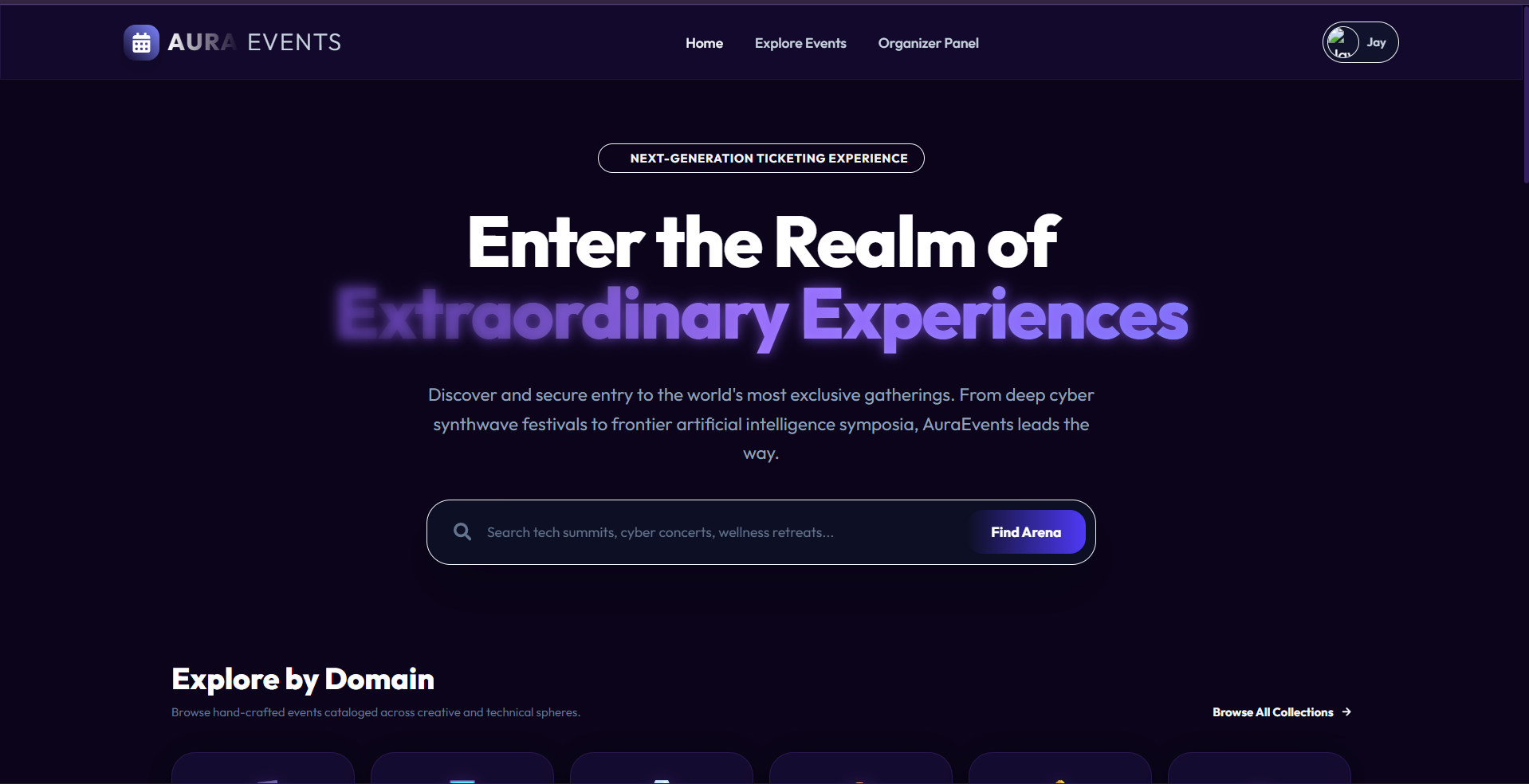
AuraEvents is a next-generation, full-stack event management and ticket reservation application. Built with a stunning, premium glassmorphic dark-mode UI on the frontend and backed by a robust Node.js, Express, and MongoDB RESTful API on the backend, the system allows organizers to dynamically host exclusive events (music, tech, art, gaming, wellness) and enables users to discover, secure, and manage premium ticket bookings seamlessly.
The application has been fully decoupled from static data. Every user registration, event creation, search query, ticket booking, and cancellation is written to and read from a live database in real time.
Screenshots
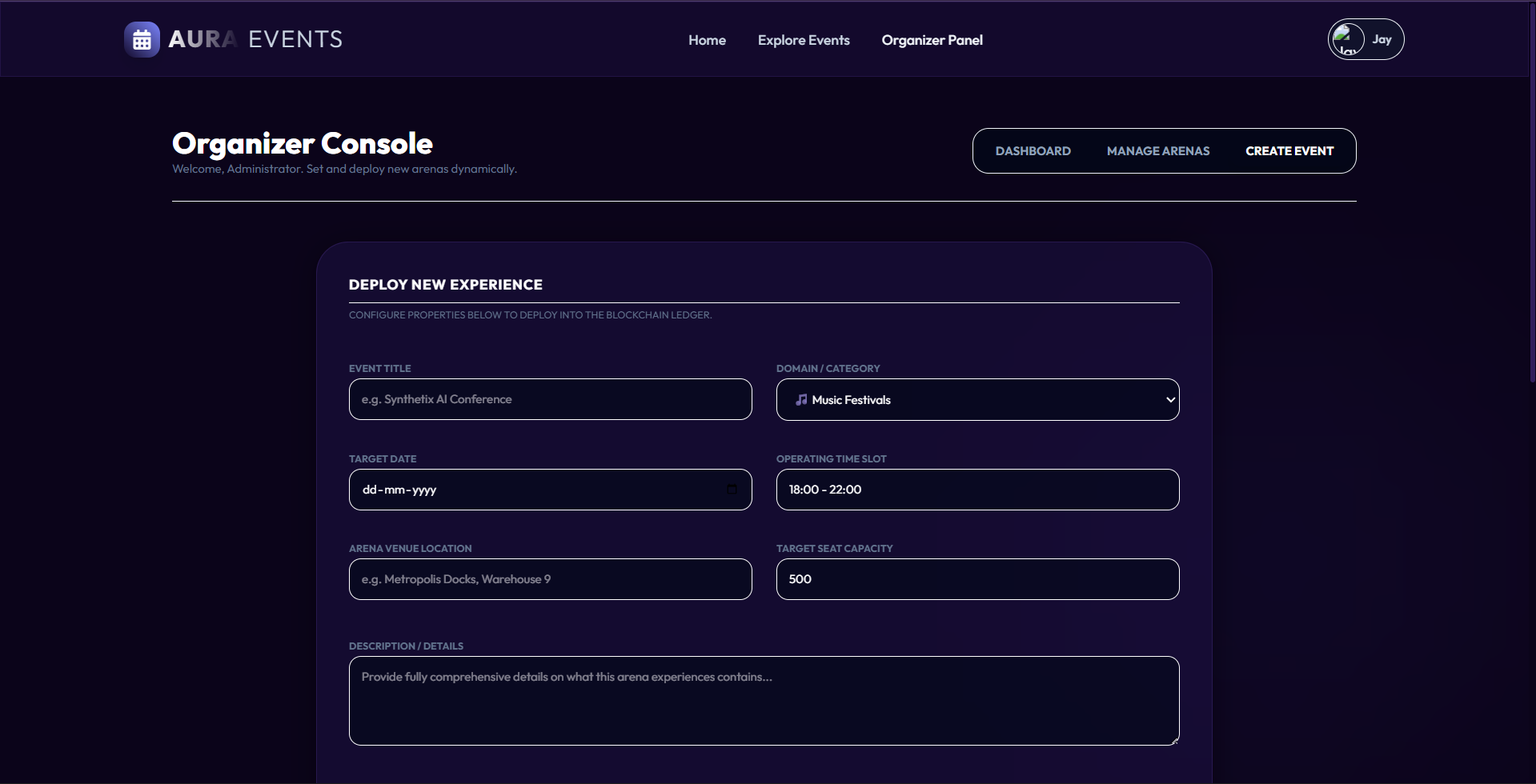
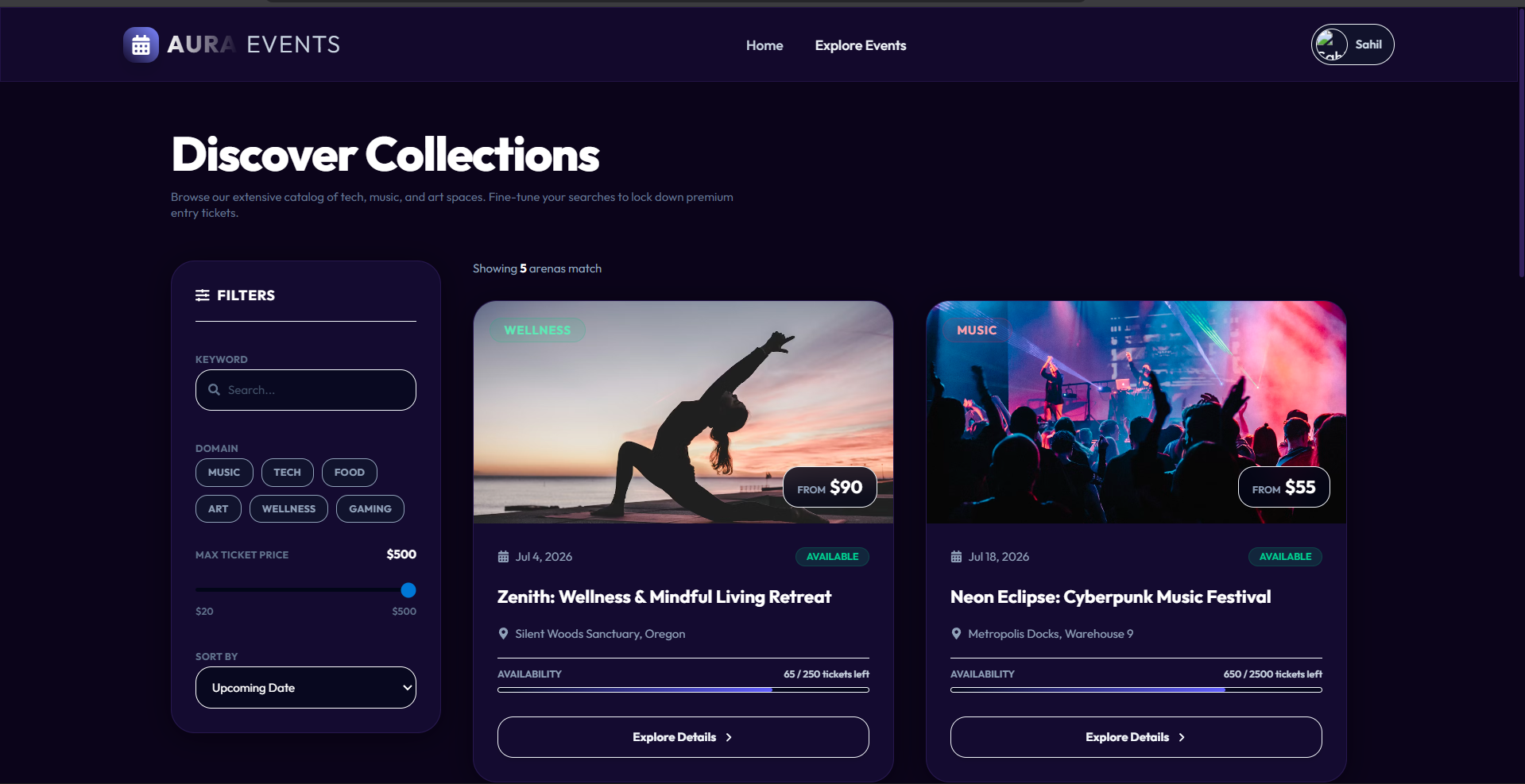
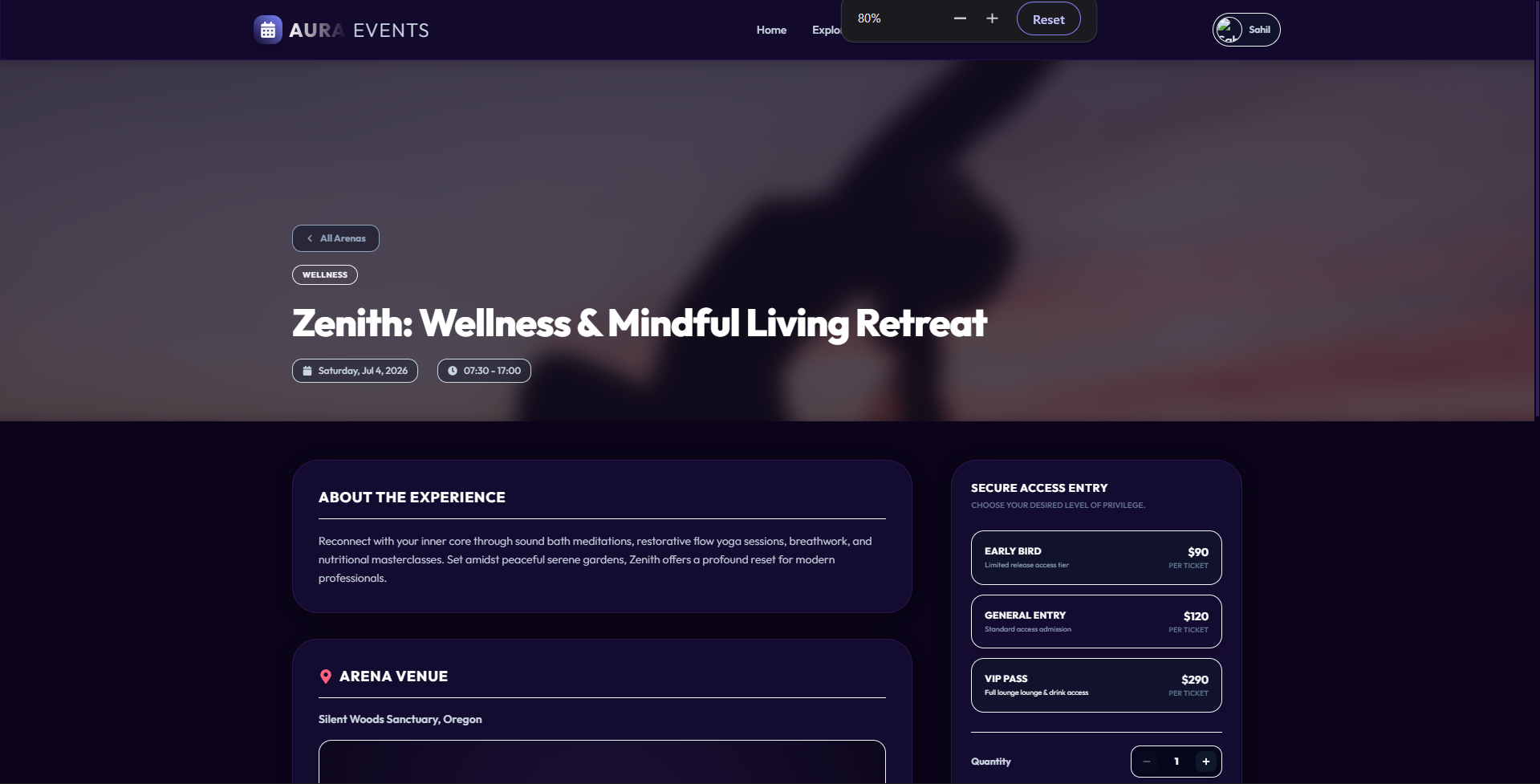
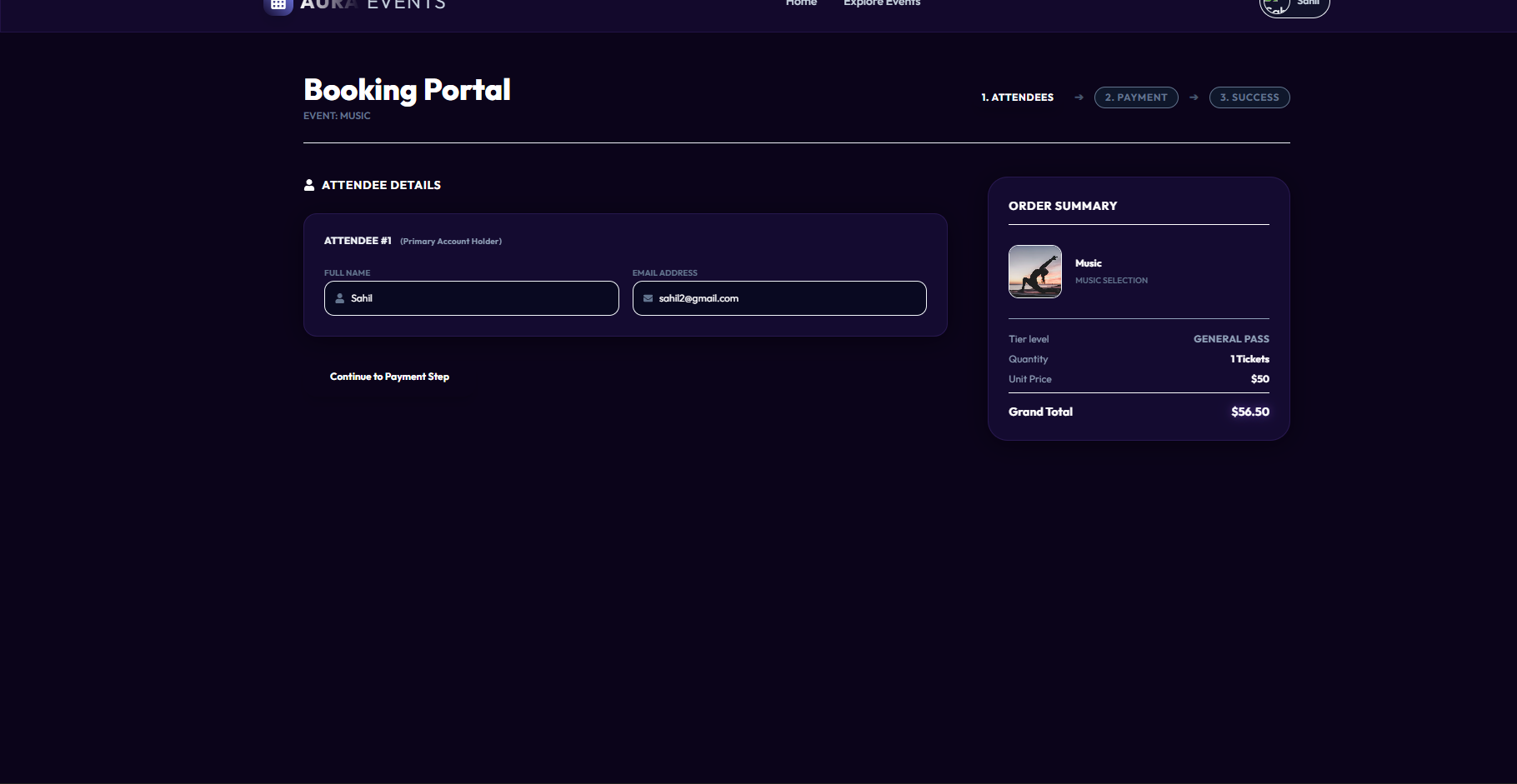
Key Features
- Premium Glassmorphic Interface
- Designed to feel futuristic and premium, featuring interactive neon gradients, blurred ambient background spheres, and responsive hover transitions.
- Dynamic Search & Filtering: A sidebar filter that allows users to instantly search keywords, select domains (Music, Tech, Food, etc.), adjust a live price range slider, and sort by date, price, or popularity.
- Dual-Role Access Control (RBAC)
- Attendee (User): Can browse events, book tickets across multiple pricing categories (General, VIP, Early Bird), view their ticket ledger, and cancel bookings.
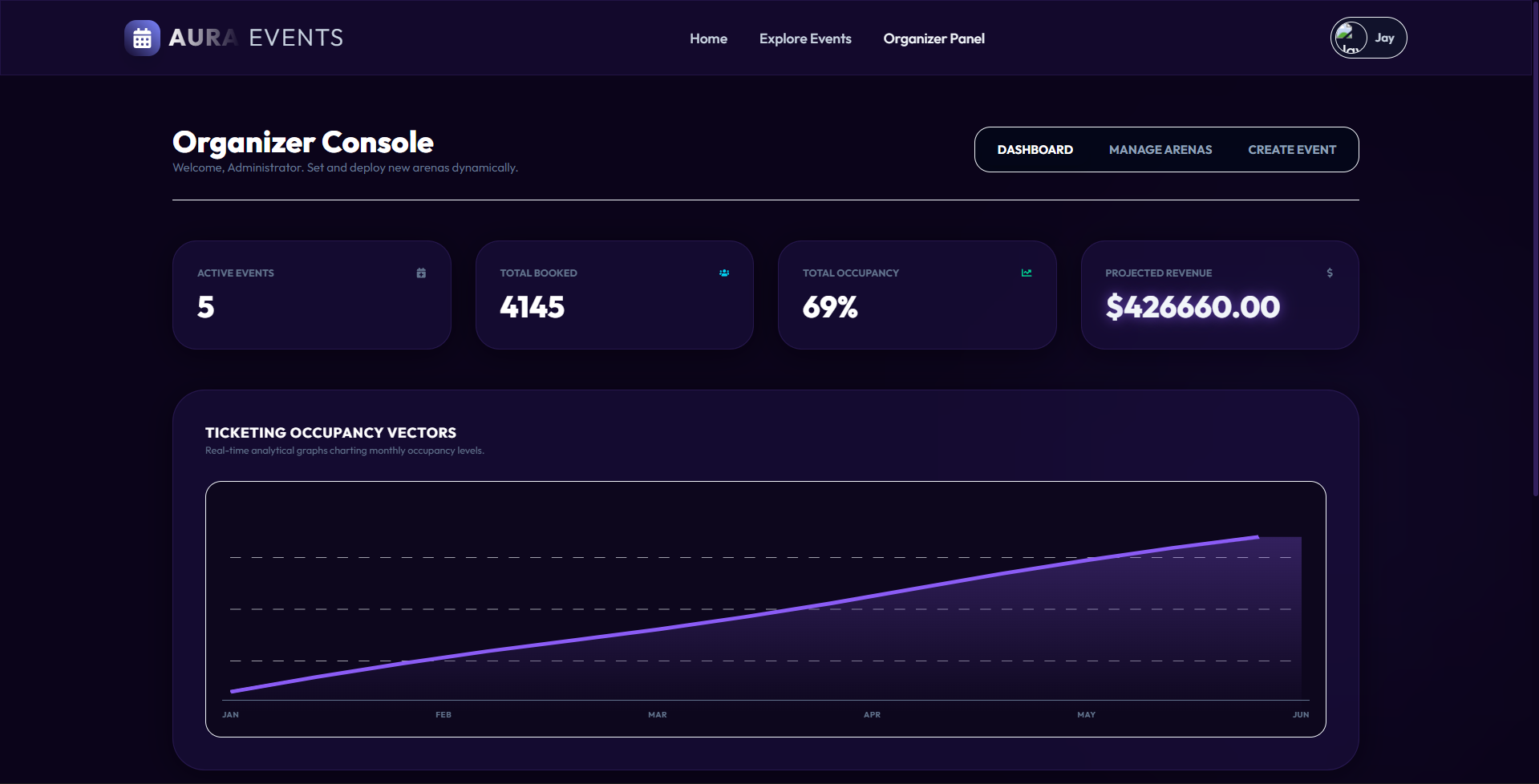
- Organizer (Admin): Has access to an exclusive Organizer Console showing full-scale business metrics, real-time occupancy calculations, and control centers to create and delete events.
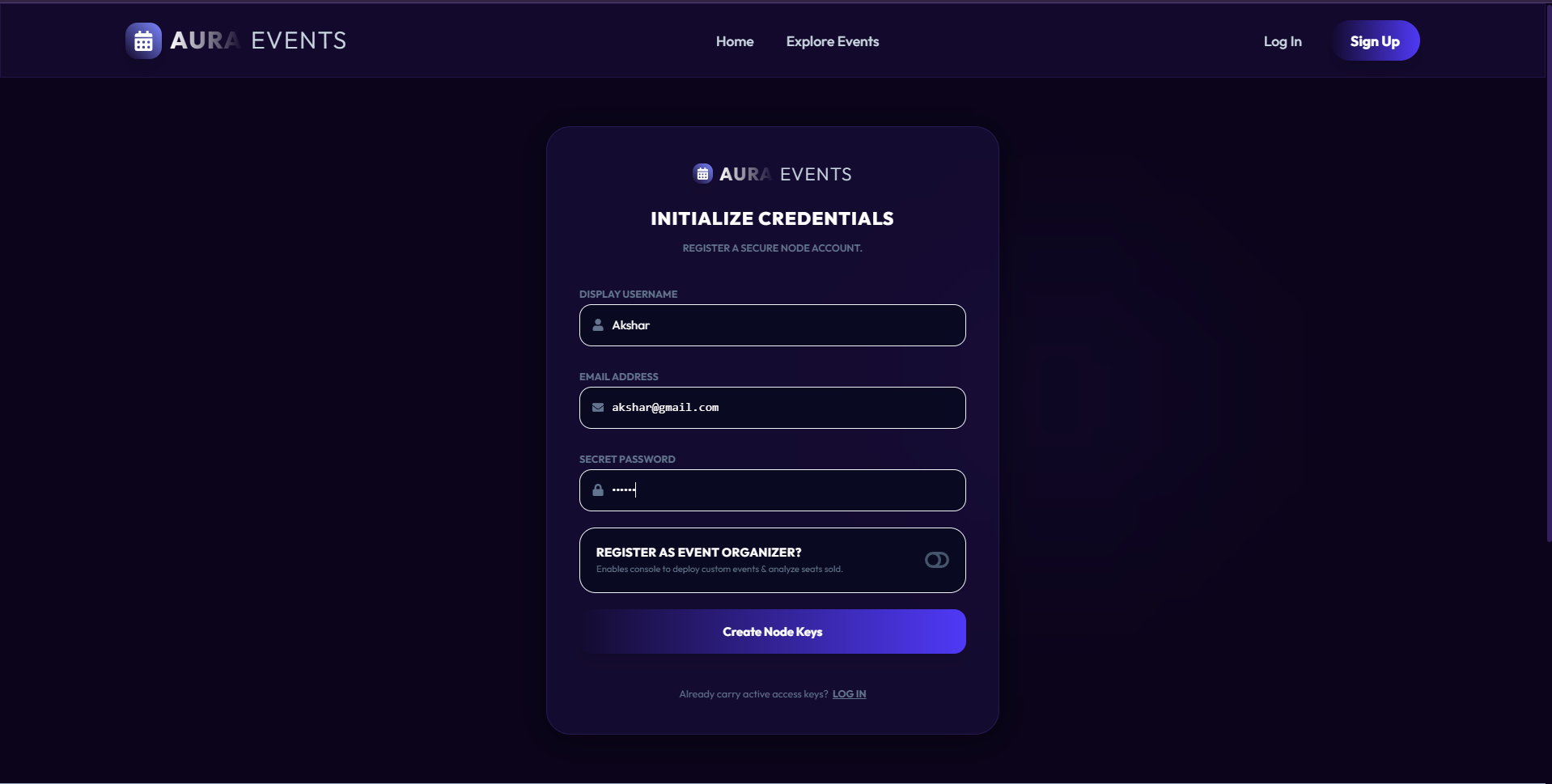
- How it works: Accounts registered with an email containing
@organizeror@adminare automatically granted administrative permissions.
- Comprehensive Booking Ledger
- Real-time validation of ticket capacities to prevent overbooking.
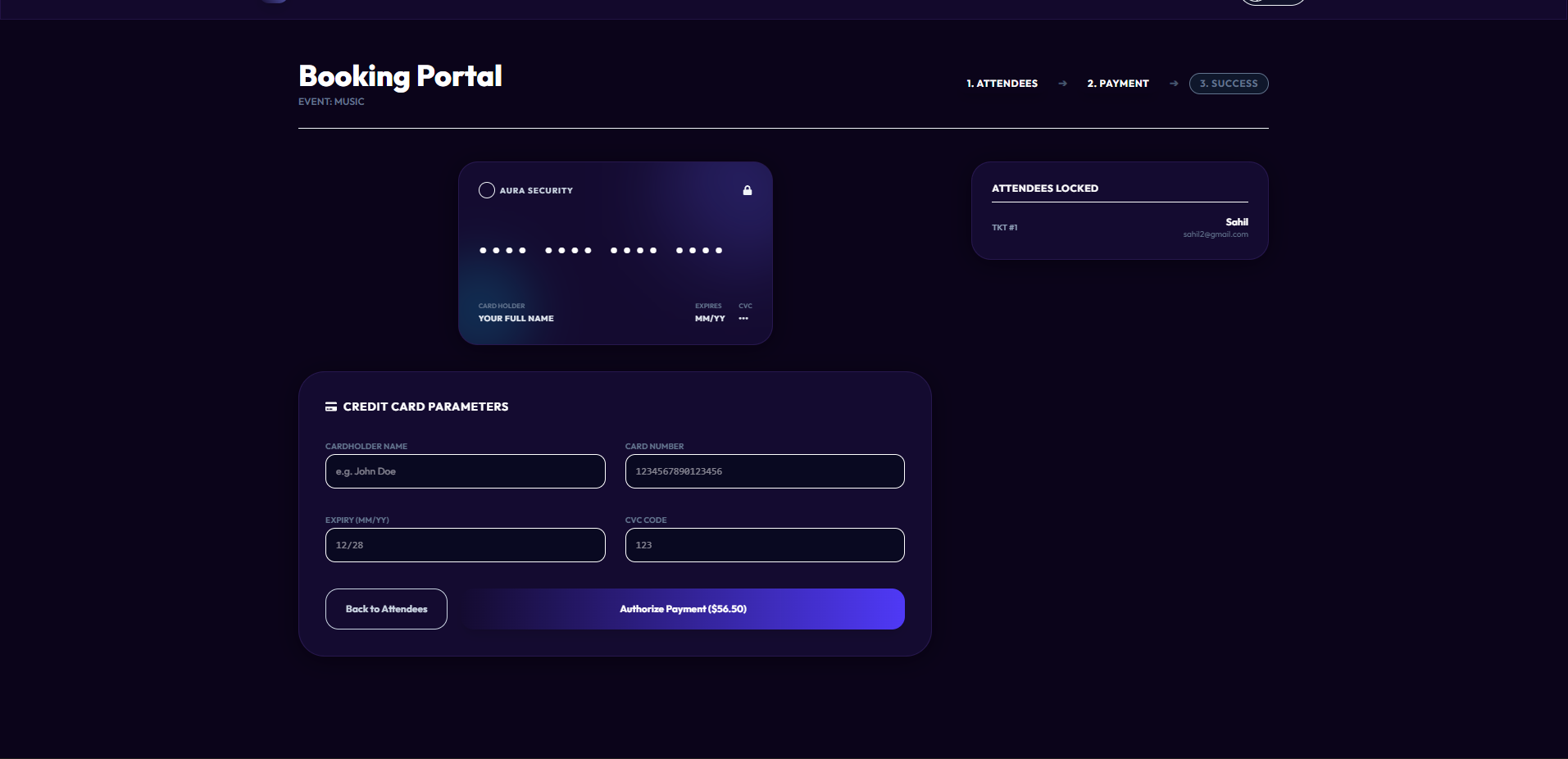
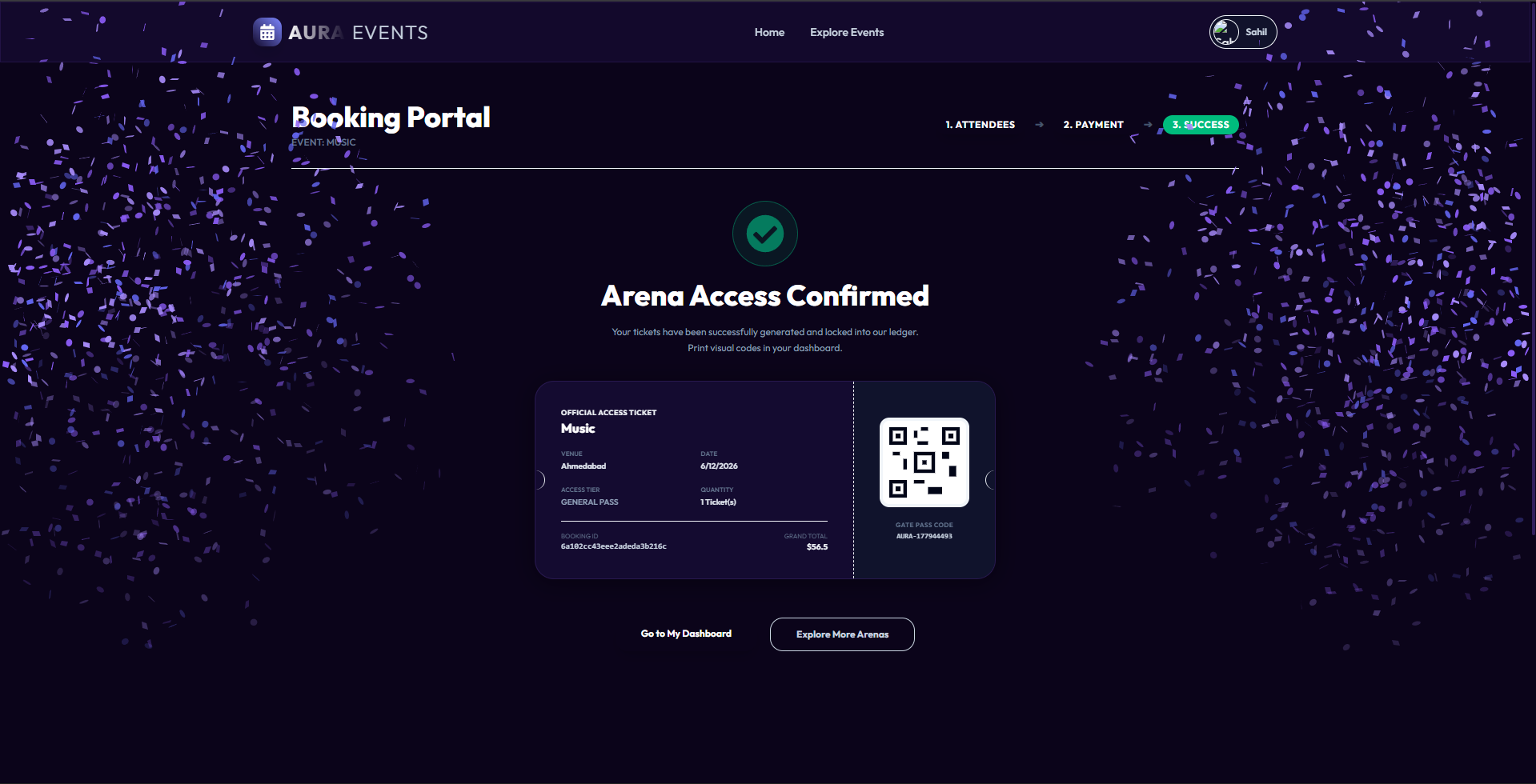
- Supports multi-ticket purchases with a gorgeous simulated credit card checkout screen.
- Generates interactive bookings with dynamic status updates (e.g., Active vs. Cancelled).
Functionaliy
- Authentication & Sessions
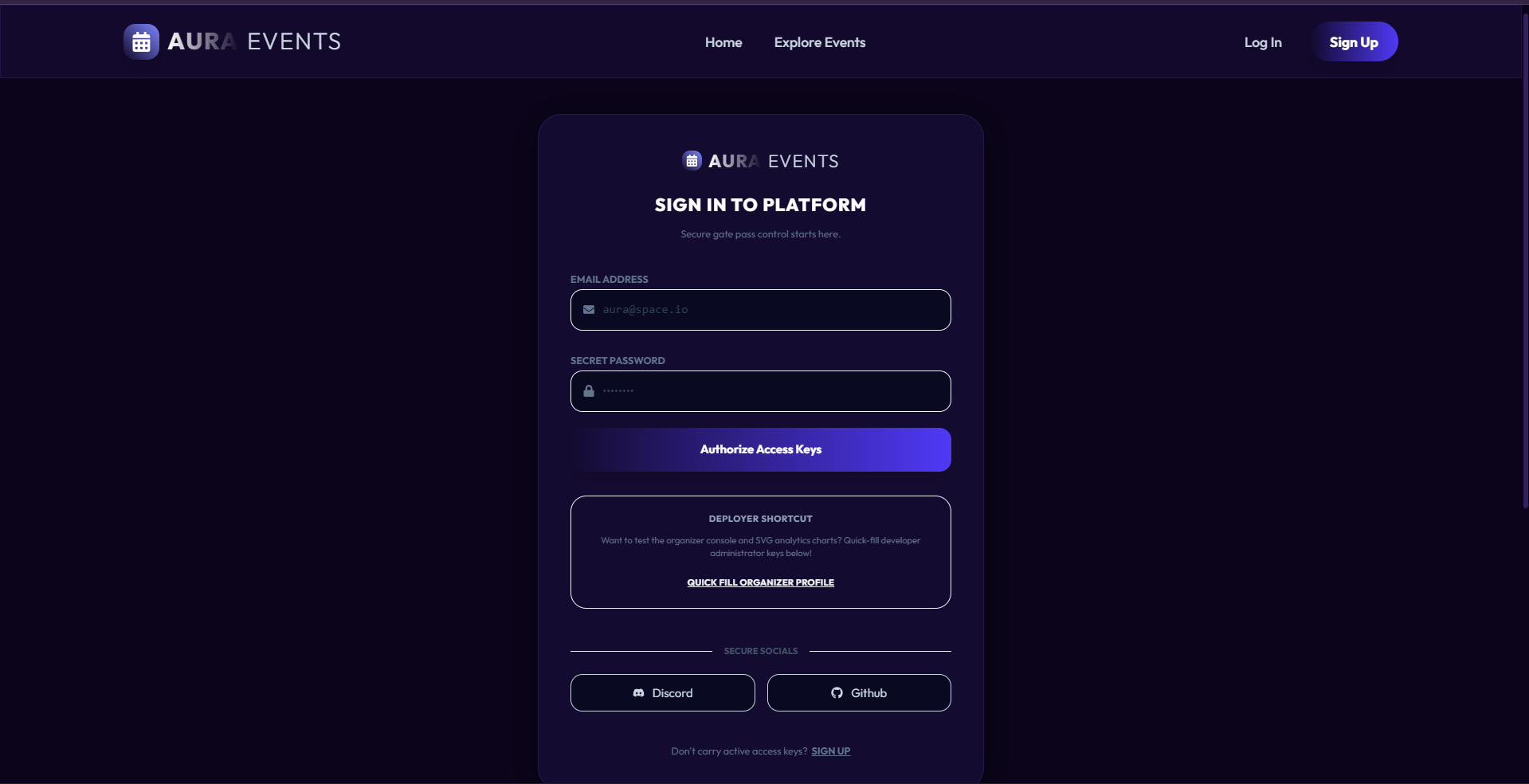
- Secure Registration & Login: Validates and hashes credentials. On success, it issues a signed JWT token stored securely in
localStorage. - Persisted Session Handlers: On page refresh, the frontend contacts the
/api/auth/meendpoint to verify the token, automatically restoring active sessions without asking the user to re-authenticate.
- Secure Registration & Login: Validates and hashes credentials. On success, it issues a signed JWT token stored securely in
- Event Management (CRUD)
- Create Experience: Organizers can input custom titles, dates, descriptions, ticket prices, and select from high-resolution theme preset images or input their own Unsplash links.
- Purge Ledger: Organizers can delete events. Doing so triggers a cascade delete that automatically cancels and cleans up all associated ticket bookings to maintain database consistency.
- Ticketing & Checkout
- Interactive Tiers: Events support General Admission, VIP Access, and Early Bird pricing.
- Dynamic Capacity Tracker: Shows the live percentage of tickets sold (e.g.,
85% capacity filled) so users experience a sense of real-time urgency. - Secure Cancellation: Users can cancel booked tickets directly from their personal dashboard. This immediately returns the ticket count back to the event’s available capacity.
Technology Used
- Frontend: React (Vite), React Router DOM (dynamic parameter routing), React Icons, TailwindCSS/Vanilla CSS styling (using modern gradients, translucent cards, and smooth micro-animations), and
React-Hot-Toastfor micro-interaction notifications. - Backend: Node.js, Express.js (MVC routing structure), Mongoose (Object Data Modeling).
- Database: MongoDB (secure local/cloud document storage).
- Security & Authentication: JSON Web Tokens (JWT) for stateless sessions and
bcryptjsfor secure pre-save password hashing.
Why This Project Is Useful
- Bridge Between High-Fidelity Design and Real Code
- Many reservation platforms either look visually basic or use static mock data. AuraEvents combines a state-of-the-art visual appearance with a fully dynamic production-ready API and database architecture.
- Scalability and Real-Time Integrity
- The database is structured to enforce reference integrity. For example, deleting an event automatically cancels its bookings, preventing orphan tickets in the system. The stateless JWT design allows the backend to scale horizontally without maintaining session states.
- Excellent for Modern Business Portfolios
- It showcases an end-to-end understanding of modern web application practices:
- Secure token-based authentication.
- Role-based authorization shields on private routes.
- Complex MongoDB aggregations (calculating total tickets sold, occupancy percentages, and projected revenues).
- High-performance responsive layouts for mobile, tablet, and desktop screens.
Deployment and Environment Setup
- Environment Variables Setup:
- backend/.env
- PORT: 3000
- MONGO_URI: mongodb_url_string
- JWT_SECRET: your_jwt_secret_key_here (if needed)
- frontend/.env
- VITE_API_URL: backend_url
- backend/.env
- Deployment Overview:
- Render or Railway for backend hosting
- Vercel or Netlify for frontend hosting
- MongoDB Atlas for the database
- Backend Deployment:
- Push your code to GitHub.
- Go to Render.com or Railway.app.
- Create a new Web Service and connect your GitHub repository.
- Choose “backend/” as the root directory.
- Add the following environment variables on Render:
- PORT=10000
- MONGO_URI=your MongoDB Atlas URI
- JWT_SECRET=your JWT secret
- Start command: npm start (Ensure your backend/package.json includes “start”: “node server.js”)
- After deployment, note your backend URL, e.g. https://your-backend-name.onrender.com
- Frontend Deployment:
- Go to Vercel.com or Netlify.com.
- Create a new project and connect the GitHub repo.
- Select the “frontend/” folder as root.
- In environment variables, set:
- VITE_API_URL=https://your-backend-domain.com/api (or REACT_APP_API_URL if using CRA)
- Deploy.
- MongoDB Atlas Setup:
- Go to https://cloud.mongodb.com
- Create a free cluster.
- Add your current IP address in Network Access.
- Create a database user and password.
- Copy the connection string and replace username, password, and database name in MONGO_URI in backend/.env
Download Source Code
Project Setup Instructions
Note: This project is for educational purposes only. Not for commercial sale.


