
Project Overview
FoodRescue is a comprehensive, full-stack web application designed to bridge the critical gap between food surplus and food scarcity. It serves as a central hub connecting generous donors (such as restaurants, event organizers, and individuals) with registered NGOs and active community volunteers. By streamlining the donation, pickup, and delivery processes, FoodRescue ensures that perfectly good surplus food reaches those in need rather than ending up in landfills, thereby fighting hunger and reducing environmental impact.
Screenshots
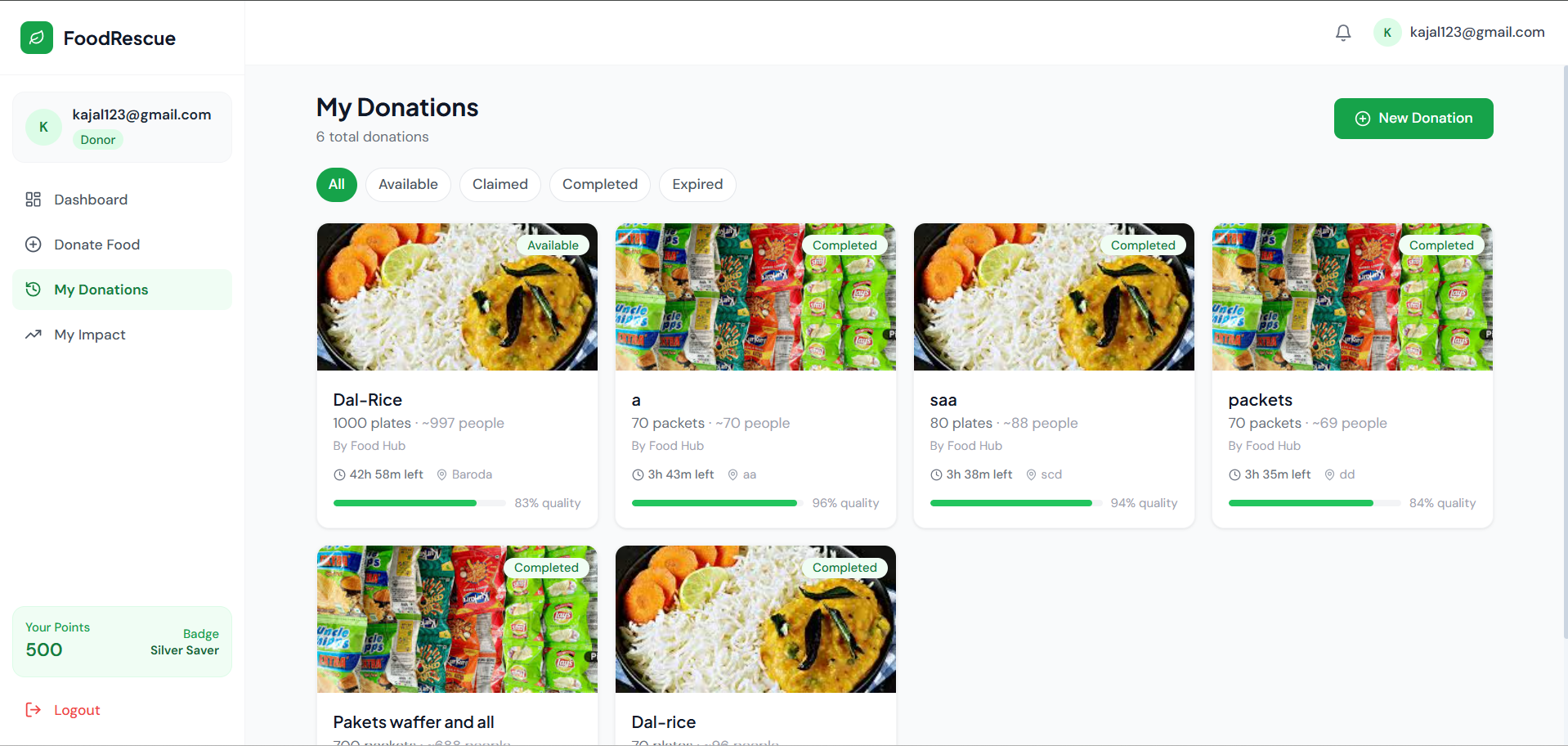
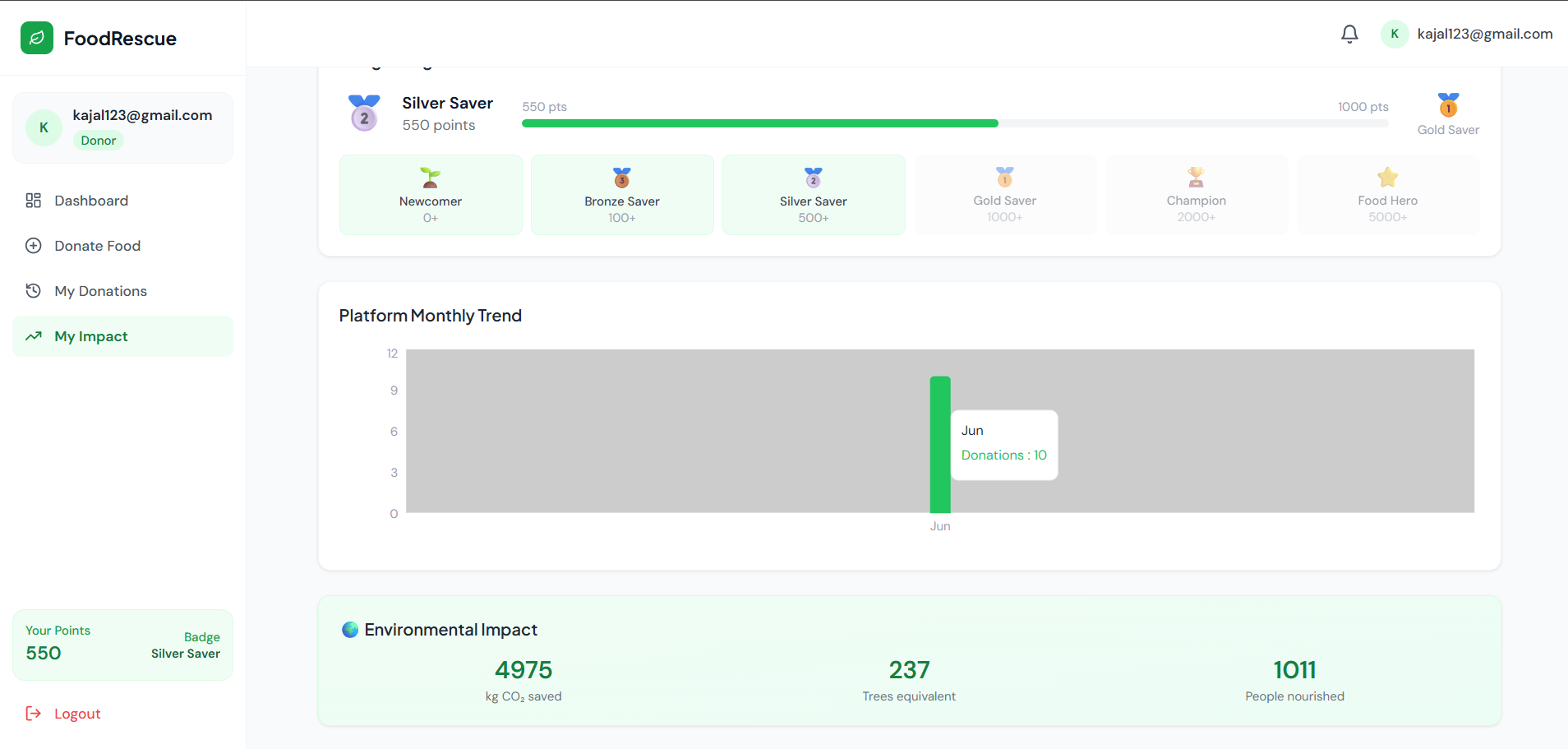
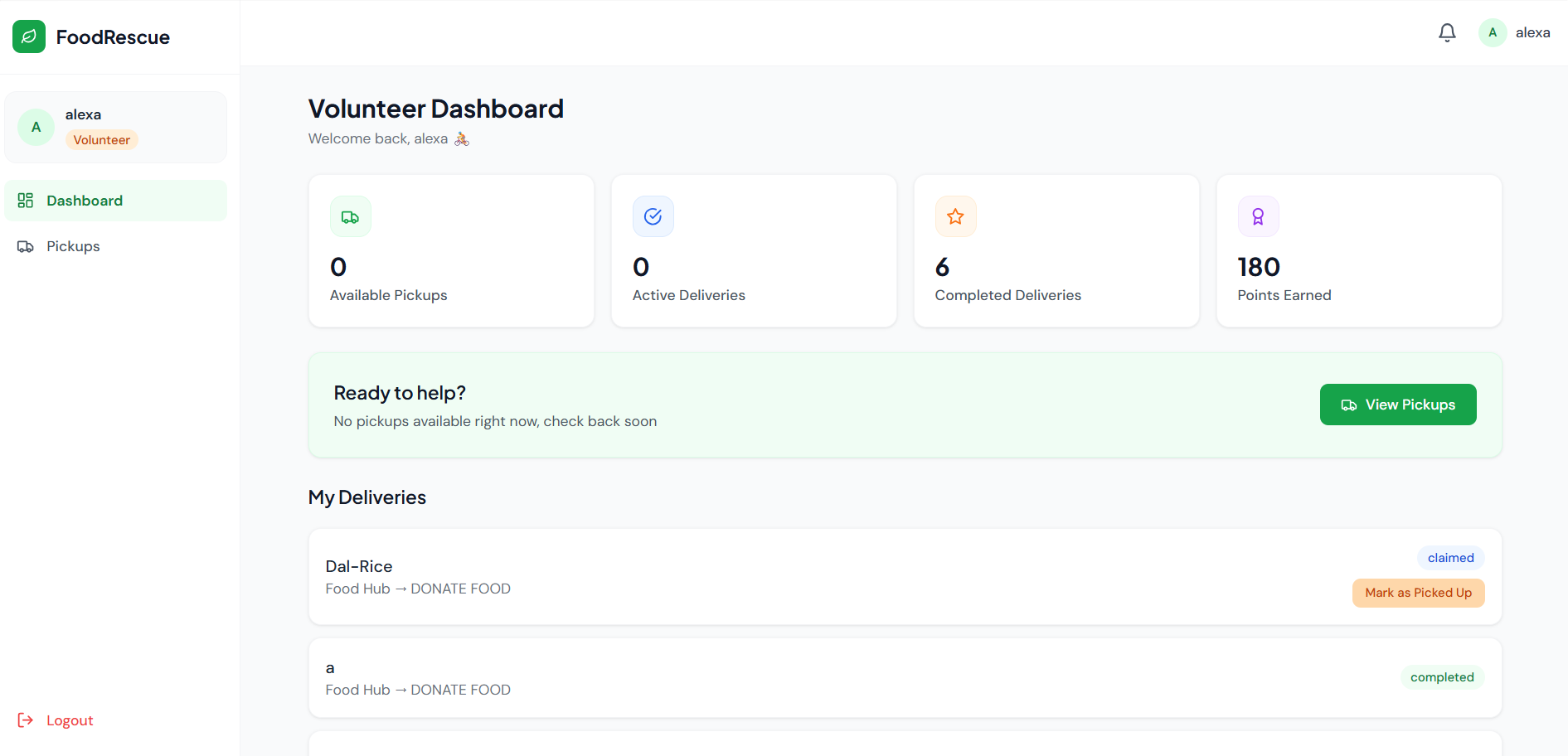
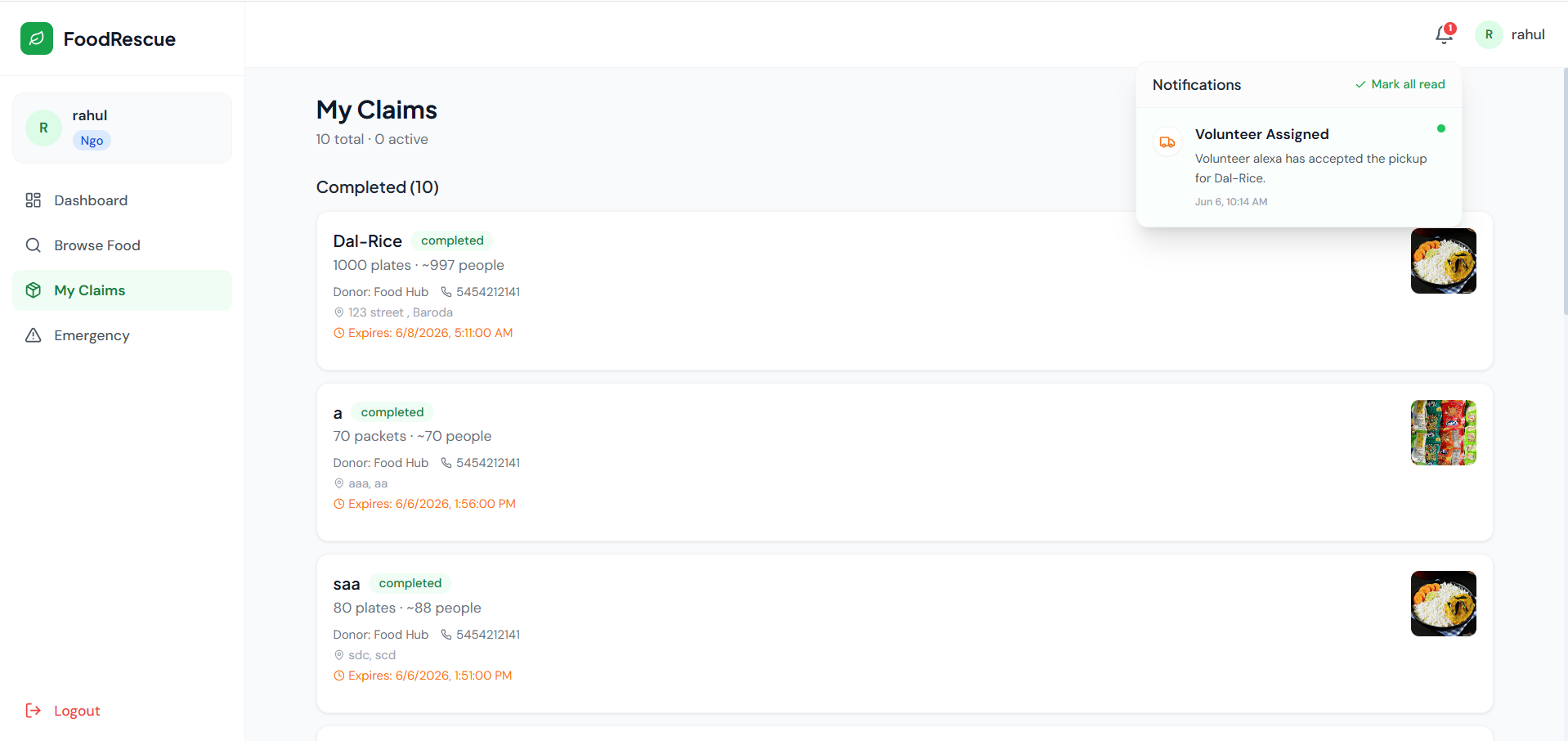
Key Features
- Role-Based Access Control: Distinct, tailored dashboards and capabilities for three primary user roles: Donors, NGOs, and Volunteers.
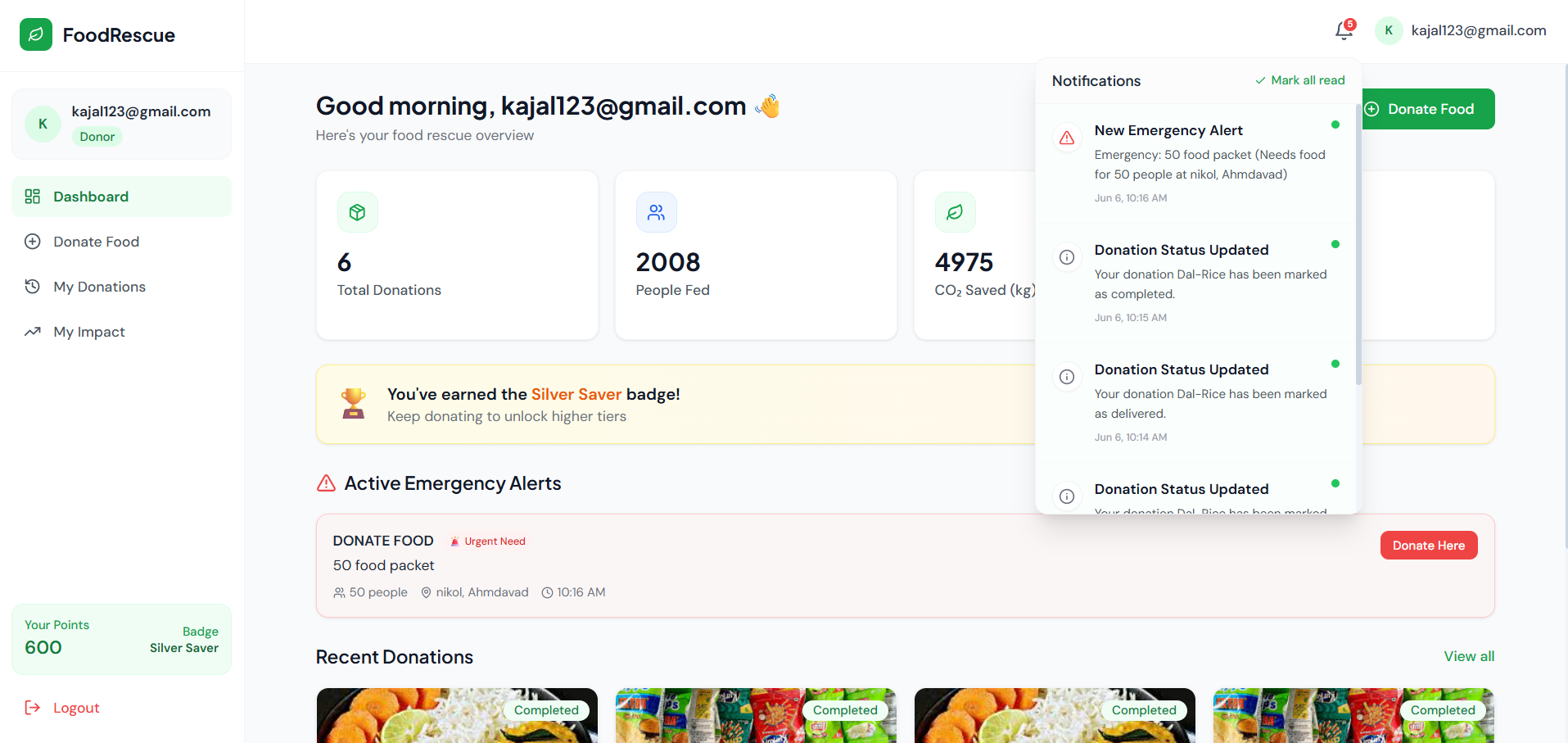
- Real-Time Notification Center: Powered by Socket.IO, users receive instant, real-time alerts for crucial events like emergency food requests, donation claims, and delivery status updates.
- Emergency Alert System: NGOs can broadcast urgent, location-specific food requirements, instantly notifying donors to fulfill immediate community needs.
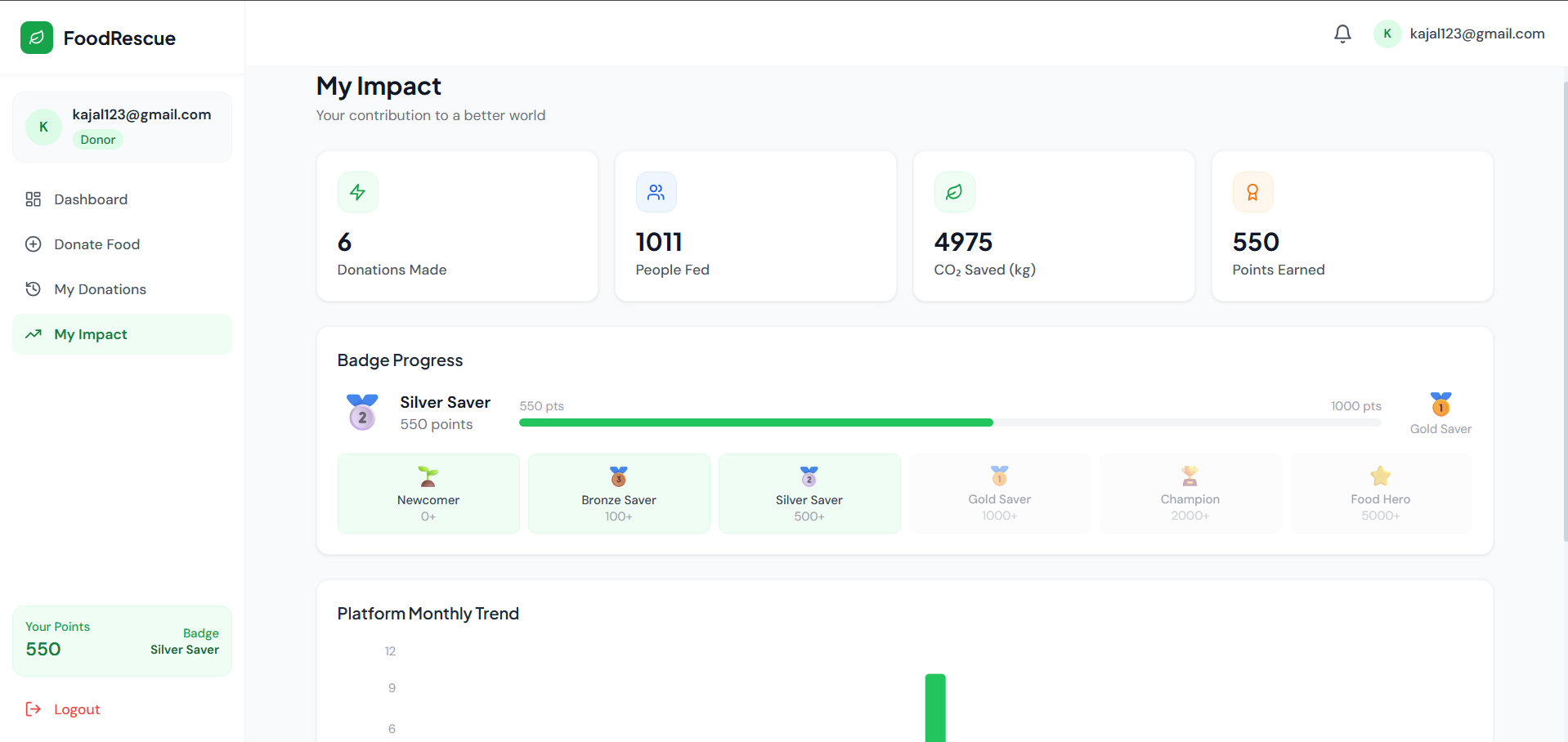
- Gamification & Impact Analytics: The platform incentivizes users by awarding points and badges. It visually tracks and displays tangible impact metrics, including “Total People Fed” and “CO2 Emissions Saved.”
- Strict Verification Workflow: A secure, multi-step transition process ensuring food safety (Available -> Claimed by NGO -> Picked Up by Volunteer -> Delivered -> Completed & Verified by NGO).
- Responsive UI/UX: A modern, clean, and intuitive interface built with React and Tailwind CSS, providing a seamless experience across desktop and mobile devices.
Functionaliy
- For Donors: Users can easily list surplus food by providing details like food type, quantity, servings, expiry time, and images. They can monitor the status of their donations and view their lifetime environmental and social impact on a dedicated dashboard.
- For NGOs: Organizations can browse a live feed of available food nearby and claim it. They can manage active claims, issue emergency alerts when food is urgently required, and mark deliveries as ‘Completed’ to officially update the ‘People Fed’ metrics.
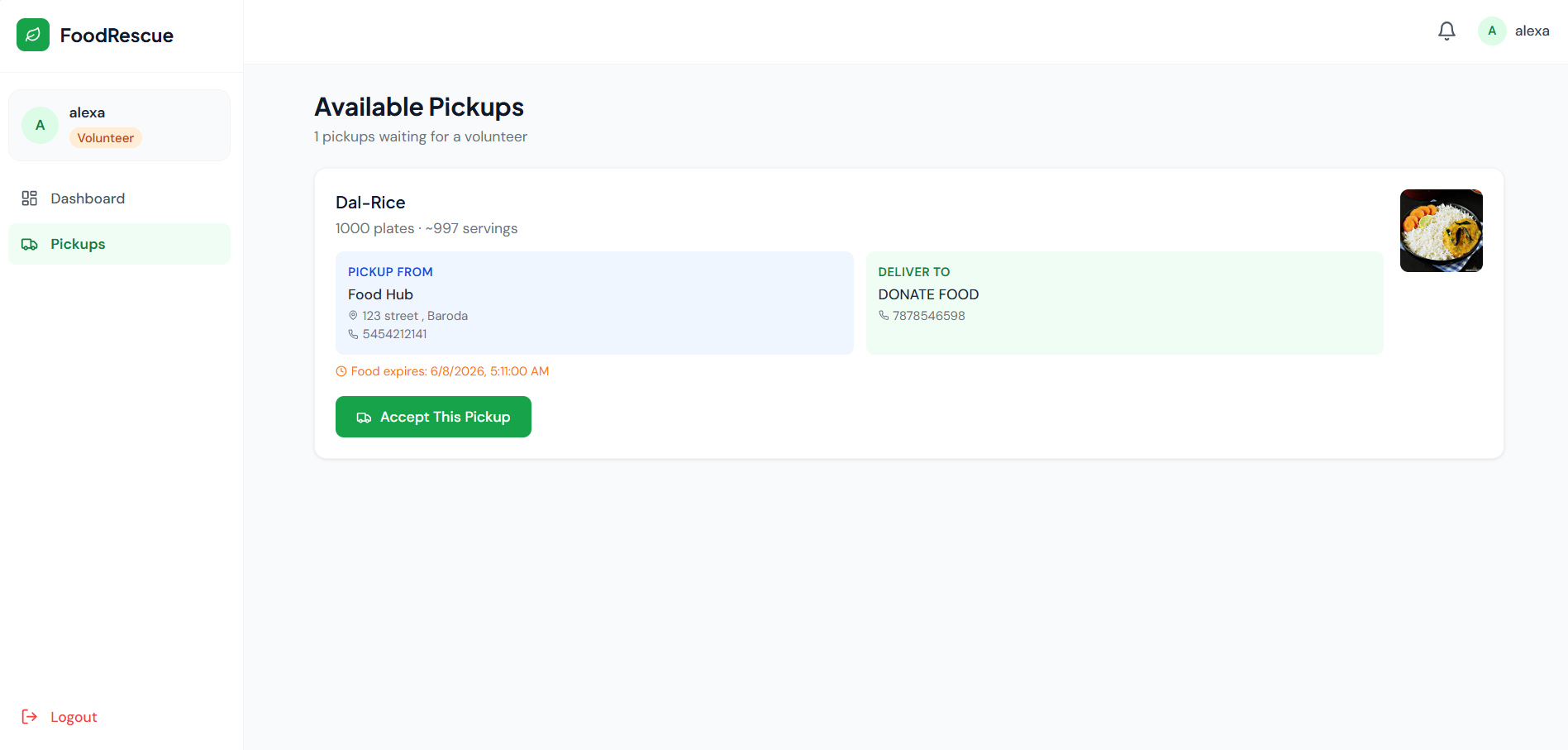
- For Volunteers: Users acting as delivery personnel can view a live list of ‘Claimed’ food waiting for transport. They can accept pickup jobs, physically transport the food, and update the digital status to ‘Picked Up’ and eventually ‘Delivered’.
Technology Used
- Frontend:React.js, Tailwind CSS, Vite, React Router DOM, Context API, Lucide-React (Icons).
- Backend:Node.js, Express.js.
- Database: MongoDB (with Mongoose ODM).
- Real-Time Communication: Socket.IO
- Authentication & Security: JSON Web Tokens (JWT), Bcrypt.js (Password Hashing).
- File Handling: Multer (for image uploads).
Why This Project Is Useful
- Combats Food Waste: Directly diverts edible surplus food away from landfills, significantly reducing harmful greenhouse gas emissions (CO2).
- Alleviates Hunger: Creates a reliable, fast-acting supply chain to deliver nutritious meals to underprivileged populations.
- Builds Community: Fosters a collaborative environment by bringing together businesses, charities, and everyday citizens for a common, noble cause.
- Brings Transparency: The rigid claim-and-deliver workflow ensures that donors know exactly where their food went and how many people it helped.
Deployment and Environment Setup
- Environment Variables Setup:
- backend/.env
- PORT: 3000
- MONGO_URI: mongodb_url_string
- JWT_SECRET: your_jwt_secret_key_here (if needed)
- frontend/.env
- VITE_API_URL: backend_url
- backend/.env
- Deployment Overview:
- Render or Railway for backend hosting
- Vercel or Netlify for frontend hosting
- MongoDB Atlas for the database
- Backend Deployment:
- Push your code to GitHub.
- Go to Render.com or Railway.app.
- Create a new Web Service and connect your GitHub repository.
- Choose “backend/” as the root directory.
- Add the following environment variables on Render:
- PORT=10000
- MONGO_URI=your MongoDB Atlas URI
- JWT_SECRET=your JWT secret
- Start command: npm start (Ensure your backend/package.json includes “start”: “node server.js”)
- After deployment, note your backend URL, e.g. https://your-backend-name.onrender.com
- Frontend Deployment:
- Go to Vercel.com or Netlify.com.
- Create a new project and connect the GitHub repo.
- Select the “frontend/” folder as root.
- In environment variables, set:
- VITE_API_URL=https://your-backend-domain.com/api (or REACT_APP_API_URL if using CRA)
- Deploy.
- MongoDB Atlas Setup:
- Go to https://cloud.mongodb.com
- Create a free cluster.
- Add your current IP address in Network Access.
- Create a database user and password.
- Copy the connection string and replace username, password, and database name in MONGO_URI in backend/.env
Download Source Code
Project Setup Instructions
Note: This project is for educational purposes only. Not for commercial sale.


